
Collectfeedbackforwebsitesandcreativeassets
Internal and client feedback in one place — without messy email chains, scattered screenshots, or missed issues.
No card required • No installation or scripts
The feedback tool loved by creative teams and their clients
Client communication
Improve communication by collecting and managing live feedback directly from clients and stakeholders.
- Faster client sign-offs
- Progress tracking made easy
- Iterate faster with clear feedback
Internal teams
Report bugs, exchange design input, and streamline problem‑solving with contextual feedback.
- Saves significant QA time
- Enhanced team productivity
- Efficient design–dev communication
Project Managers
Client feedback turns into clear, actionable tasks that keep projects on track.
Developers
Get full browser specs, screenshots and device info automatically.
Designers
Spot issues early and give precise feedback effectively.
“Clients love dropping comments that instantly become actionable. Nothing falls through the cracks.”
Douglas @ Snöboll
Digital Designer
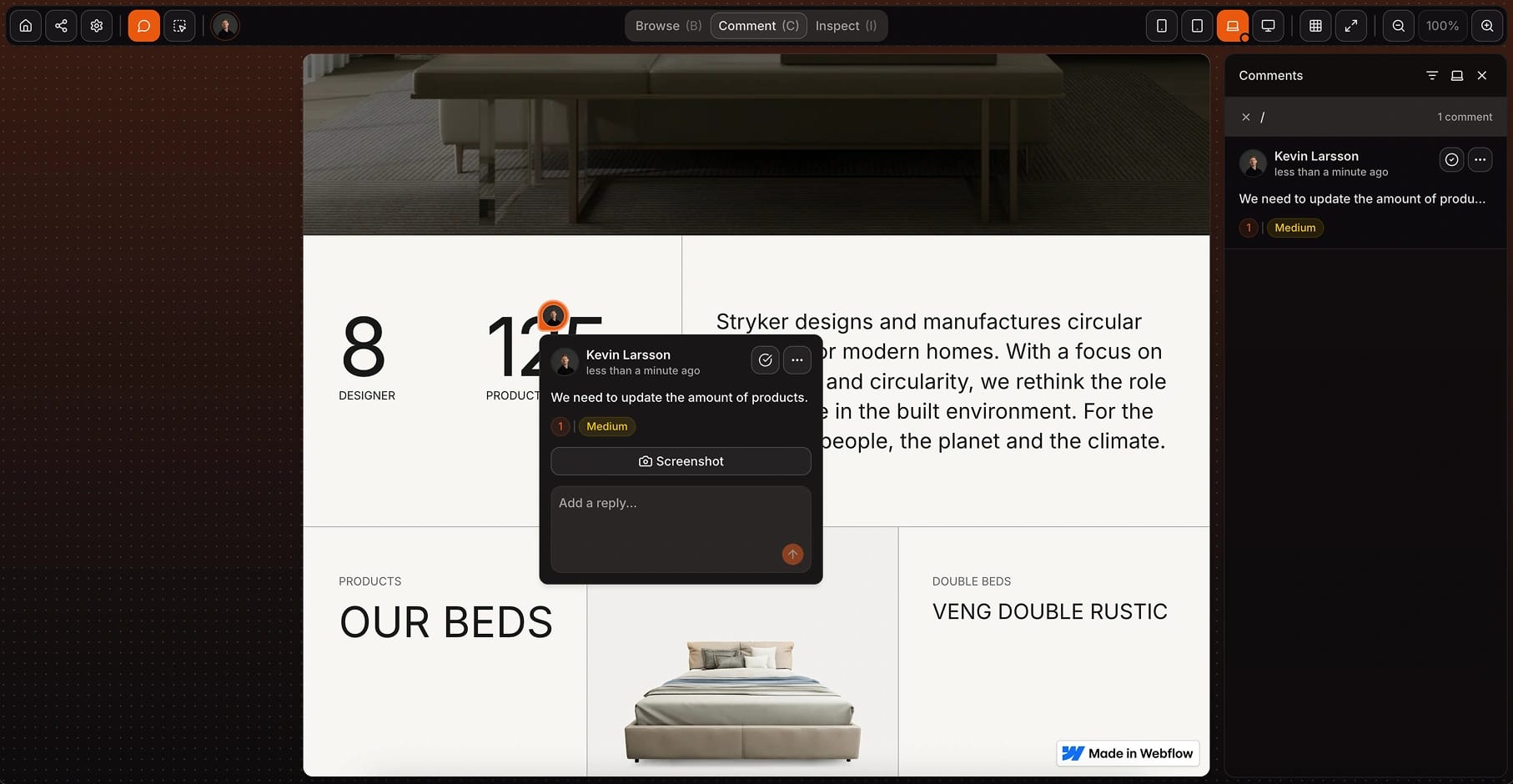
No installation required
Share a secure link — no code or browser extensions needed.
Clean interface
Intuitive interface your team loves and clients understand.
Faster review cycles
Skip the back-and-forth emails and Slack messages.
Higher-quality feedback
Every comment comes with a screenshot and details.
“After 20 years of designing websites, I can confidently say that Huddlekit is an exceptional product for the modern designer.”
David @ Héroes del Diseño
Web Designer & Youtuber
Gather feedback, review quickly, ship faster
Huddlekit helps you gather visual feedback easily – with all the right context.
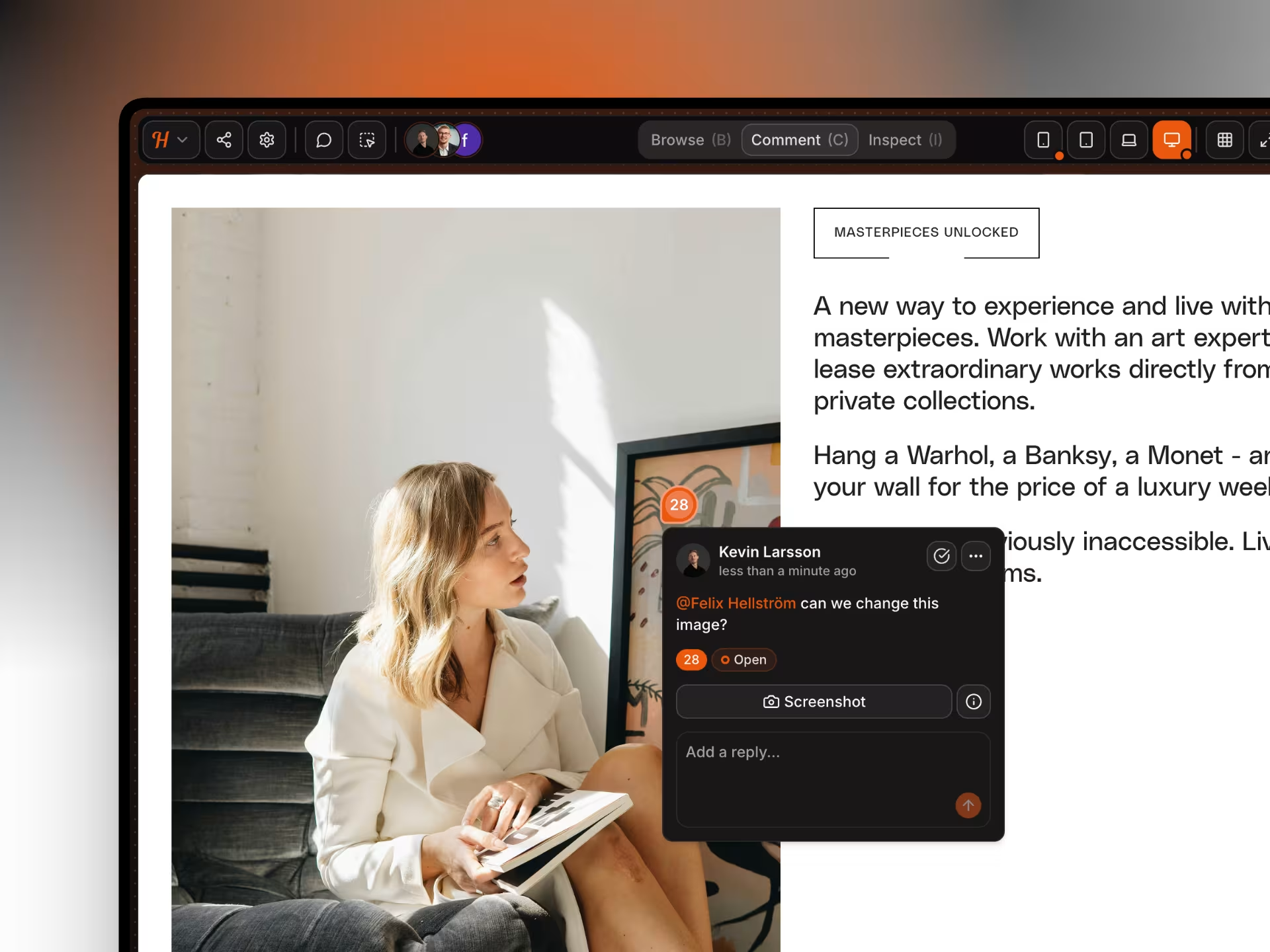
Click anywhere to leave comments and screenshots
Drop comments directly on live websites, automatically capture screenshots and debugging details.
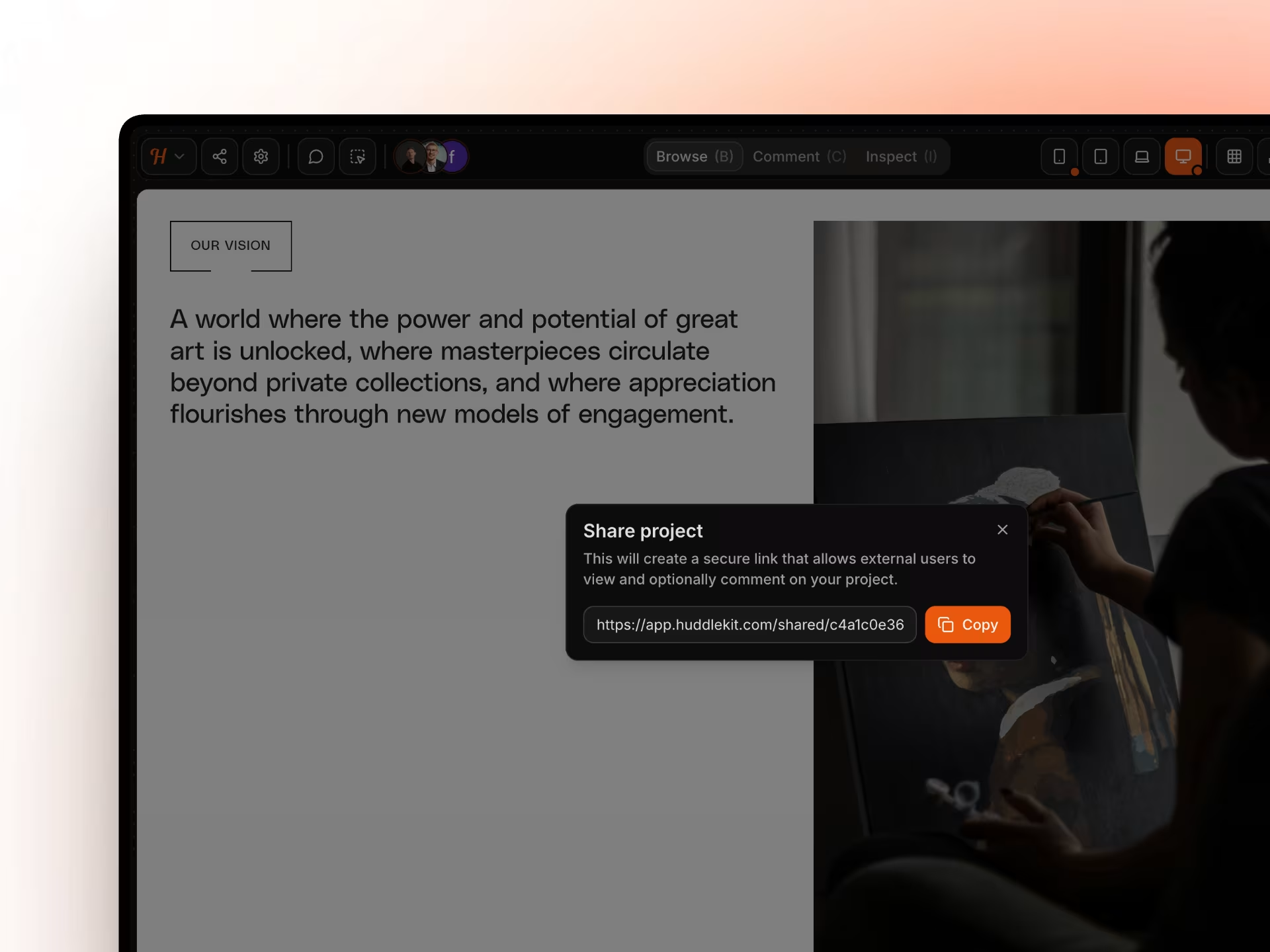
Invite clients and stakeholders with a shareable link
Share a secure review link so stakeholders can open the real site, click to comment, and sign off your project.
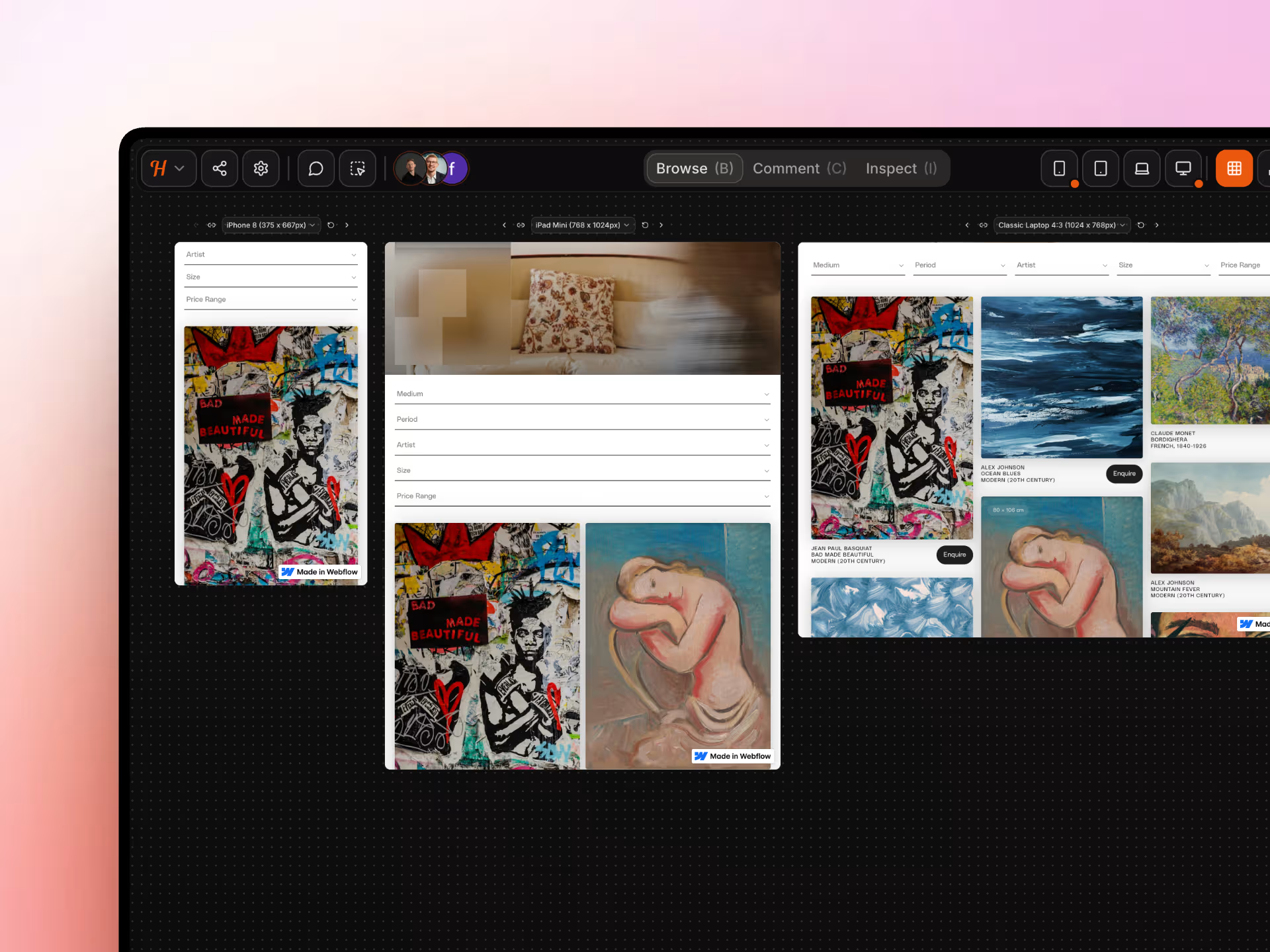
Annotate multiple breakpoints side-by-side in one view
Review your website across mobile, tablet, laptop, and desktop views at the same time. Catch responsive issues before they reach production.
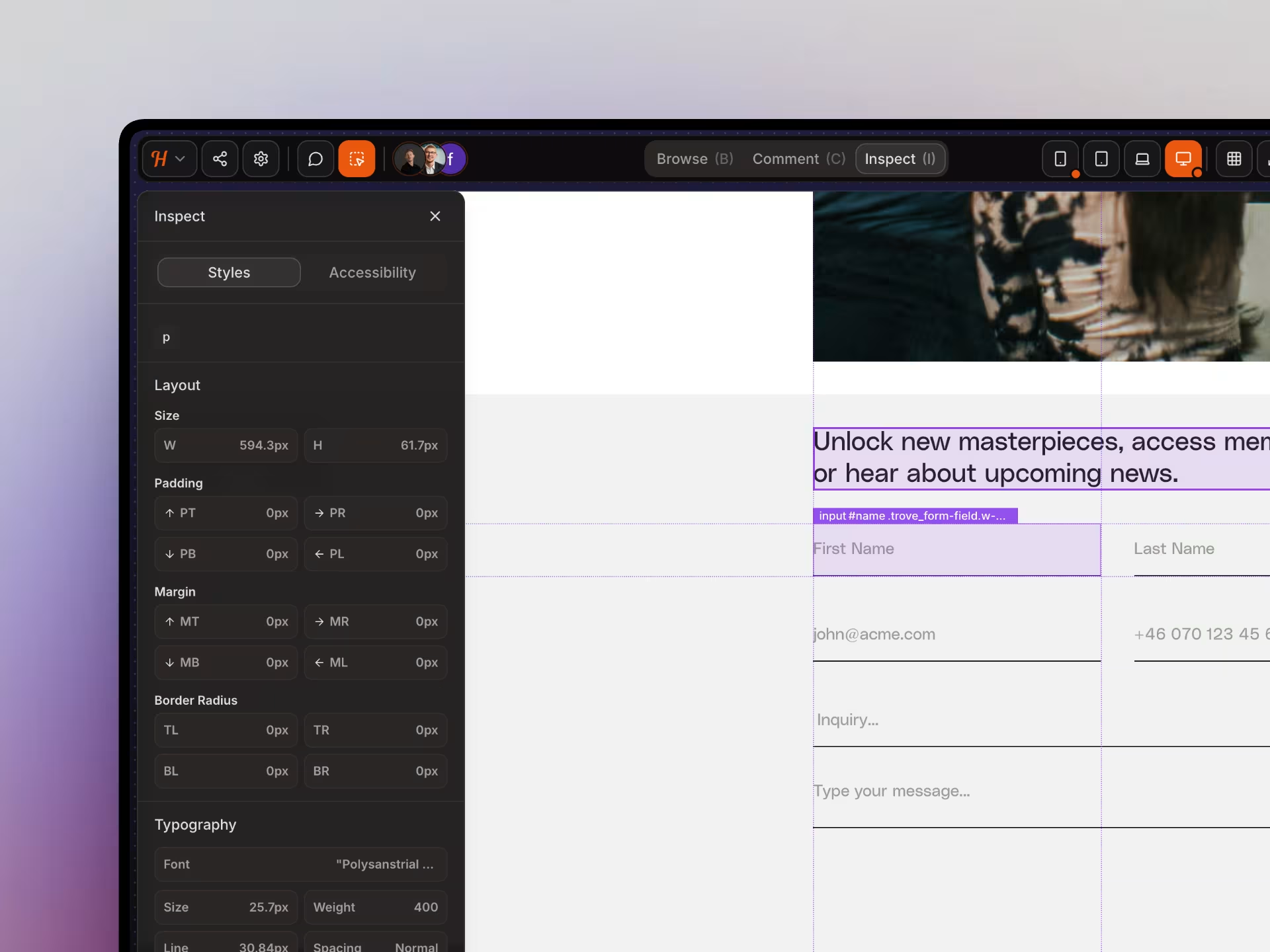
Easily review element sizing, alignment, and spacing
Just checking the spacing and alignment? No need to open messy DevTools, just bring out the rulers.
Simple and straight forward pricing
Start for free, then pick a plan with the team members and project limits you need.
- 3 team members
- 1 project
- Limited canvas view
- Unlimited guests
- Kanban boards
- All project types
- Task management
- Standard email support
- 3 team members
- Unlimited projects
- Full canvas view
- Unlimited guests
- Kanban boards
- All project types
- Task management
- Priority email support
- 20 team members
- Unlimited projects
- Full canvas view
- Unlimited guests
- Kanban boards
- All project types
- Task management
- High priority email support
“I love this tool! The UI is super intuitive and clean, and the best part is being able to see all the breakpoints side by side.”
Mikael @ Team Blue
Product Designer

Try Huddlekit right now – for free. You'll never go back.
Everything you need to know
If you have any more questions, feel free to reach out to our support team.