

Design reviews should not be painful. Yet most teams still juggle email threads, scattered screenshots, and unclear feedback that leads to endless revision cycles.
The right design review software centralizes feedback, tracks versions, and accelerates approvals. But choosing the wrong tool — or the wrong category of tool — makes things worse.
After evaluating dozens of options and building a website review tool ourselves, we put together this guide covering 14 design review platforms organized by what you are actually reviewing: websites, creative assets, or digital products. Each tool gets an honest assessment with verified pricing, pros and cons, and clear guidance on who it works best for.
A note on terminology: "design review software" and "design feedback tools" describe the same category — software that lets a team comment on visual work in context. Some teams use one phrase, some the other; this guide treats them interchangeably.
The best design feedback tools in 2026 (quick answer)
If you only need the shortlist:
- Best for website review with clients: Huddlekit — proxy access, multi-device canvas (Pro and Team), no client login.
- Best for creative asset approvals: Filestage — multi-stage approval workflows, broad file format support.
- Best for ongoing design QA inside engineering: Marker.io — technical metadata, two-way Jira sync (Team plan).
- Best mixed website + design files: Pastel — handles both in one tool.
- Best free option to try a website review tool: Huddlekit Free — 1 project, 3 team members, designed to test the workflow with a real client (the side-by-side canvas is on Pro and Team).
- Best free option for product feedback widgets: Userback Free.
The rest of this guide explains why each tool fits its lane, with verified 2026 pricing.
What changed in recent updates
- September 2026: pricing, free plans, and install methods corrected for Marker.io, BugHerd, Userback, Usersnap, Atarim, Zipboard, PageProof, and GoVisually.
- September 2026: Huddlekit feature notes tightened: Canvas is on Pro and Team, and Inspect mode shows sizes, spacing, typography, and colors.
- May 2026: "design feedback tools" terminology added — the category is increasingly searched under that phrase.
- May 2026: decision section expanded with scenario-based picks for AI-assisted research.
At-a-glance comparison
| Tool | Category | Best for | Starting price | Free plan |
|---|---|---|---|---|
| Huddlekit | Website review | Agencies reviewing across devices | $16/mo | Yes (1 project, 3 members) |
| BugHerd | Website review | Agency task management | $50/mo | No (free trial) |
| Marker.io | Website review | Developer QA | $39/mo | No (15-day trial) |
| Userback | Website / product review | Product feedback + session replay | $29/mo | Yes (2 seats) |
| Filestage | Creative asset review | Multi-stage approvals | $199/mo | Yes (limited) |
| GoVisually | Creative asset review | Design proofing | $16/user/mo | No |
| Ziflow | Creative asset review | Enterprise proofing | $50/user/mo | No |
| PageProof | Creative asset review | High-volume proofing | $249/mo | No |
| Pastel | Website + creative review | Website and file reviews | $35/mo | Yes (limited) |
| Usersnap | Digital product review | Bug reporting on web apps | €39/mo | No |
| Zipboard | Digital product review | Multilingual reviews | $99/mo | No (15-day trial) |
| Atarim | Website review | WordPress agencies | $67/mo | Yes (limited) |
| Redpen | Creative asset review | Simple image/PDF feedback | $8/mo | Yes |
| Notion | General | Basic feedback for Notion teams | $10/user/mo | Yes |
What is design review software?
Design review software lets teams collaborate on visual work with contextual feedback — annotations, comments, version tracking, and approval workflows — instead of vague emails and disconnected tools.
The core value: Everyone sees the same thing, comments on specific elements, and tracks changes in one place.
Why teams use design review tools
Without design review software:
- Feedback scattered across email, Slack, and spreadsheets
- Screenshots annotated in separate apps, then shared without context
- Version confusion — "which file is the latest?"
- Unclear approval status — who approved what, and when?
- Slow stakeholder responses with no accountability
With design review software:
- Centralized feedback on the actual design, not a description of it
- Visual annotations pinned to exact elements with technical context
- Automatic version control and revision history
- Clear approval workflows with deadlines and reminders
- Faster decision-making with accountability
Types of design review software
Not all design review tools solve the same problem. Before comparing features, identify what you are primarily reviewing.
1. Website review tools
For reviewing live websites during development, QA, and pre-launch stages. Reviewers are typically internal team members, clients, or project stakeholders.
Common use cases: Agency-client website approvals, responsive design QA, pre-launch testing, stakeholder feedback on staging environments.
What to look for: Comments on live URLs, mobile/tablet/desktop testing, client-friendly guest access, integration with development tools.
Best tools: Huddlekit, BugHerd, Marker.io
2. Creative asset review tools
For reviewing static files — images, PDFs, videos, documents, and other creative deliverables.
Common use cases: Design mockup approvals, brand asset reviews, marketing collateral feedback, video production sign-offs, print design proofing.
What to look for: Multi-format support, frame-accurate video comments, version comparison, multi-stage approval workflows.
Best tools: Filestage, GoVisually, Ziflow, PageProof
3. Digital product review tools
For reviewing software, apps, and SaaS products during development, with emphasis on technical context.
Common use cases: UI/UX feedback on prototypes, bug reporting during development, feature reviews, QA testing workflows.
What to look for: Screenshot and screen recording, technical metadata capture (console logs, network data), issue tracking integration, customizable forms.
Best tools: Marker.io, Usersnap, Userback
14 best design review software tools
Website review tools
1. Huddlekit
Best for: Web agencies and freelance designers reviewing live sites across all devices with non-technical clients
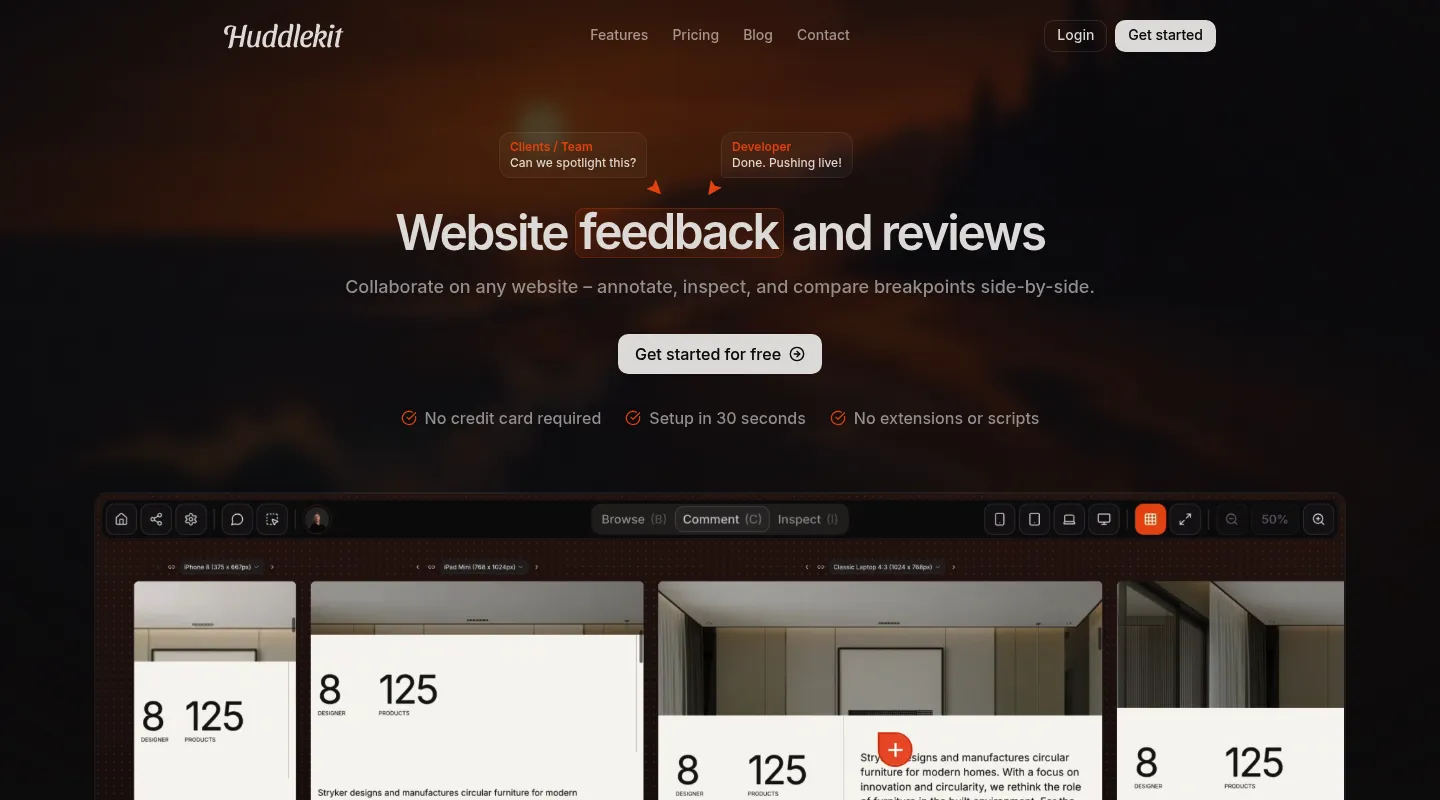
Huddlekit is a website review and feedback workspace designed to make client collaboration simple while giving teams real design review power. It loads your site through a secure proxy, so reviewers comment directly on the real page without installing anything.
Key features:
- Pin comments directly on live websites with visual markers anchored to specific elements
- Canvas view (Pro and Team) — review your site on mobile, tablet, laptop, and desktop simultaneously in a side-by-side layout
- Built-in inspect mode showing element sizes, spacing, typography, and colors — without opening DevTools (for team members; guests on share links don't get it)
- Review creative assets (images, PDFs, videos) alongside website projects
- Guest access with no login required — tokenized share links for clients
- Comment statuses (Open, In Review, In Progress, Resolved) with drag-and-drop kanban board
- Priority levels (Critical, Medium, Low), custom tags, public/private comments, @mentions
- File attachments on comments (images and PDFs, up to 5 per comment)
- Web app widget for authenticated pages (script tag with guides for React, Next.js, WordPress, Webflow, etc.)
- Integrations: Linear, ClickUp, Notion, Asana, Trello, Slack, Zapier, webhooks, and API access on Team; MCP for AI tools on Pro and Team
Pricing:
- Free: 1 project, up to 3 team members — for trying Huddlekit on a real project
- Pro: $16/mo (billed yearly) — 3 team members, unlimited projects, 5 GB storage
- Team: $33/mo (billed yearly) — 15 team members, unlimited projects, 50 GB storage
Monthly billing available at $19 for Pro and $39 for Team. Every paid plan comes with a 30-day money-back guarantee. See the full pricing breakdown.
Pros:
✅ Only tool with a multi-device canvas view (4 breakpoints side by side, Pro and Team) ✅ Built-in inspect mode for sizes, spacing, typography, and colors ✅ No reviewer login or installation required ✅ No per-user pricing for guests — unlimited guest access on all plans ✅ Modern, clean interface that non-technical clients can use immediately
Cons:
❌ Smaller integration ecosystem than enterprise tools (no native Jira or GitHub sync yet — those go through Zapier on Team) ❌ Newer to market — feature set is still expanding
Review designs across every device with your clients.
Try Huddlekit2. BugHerd
Best for: Agencies managing multiple client projects with Kanban-style task management
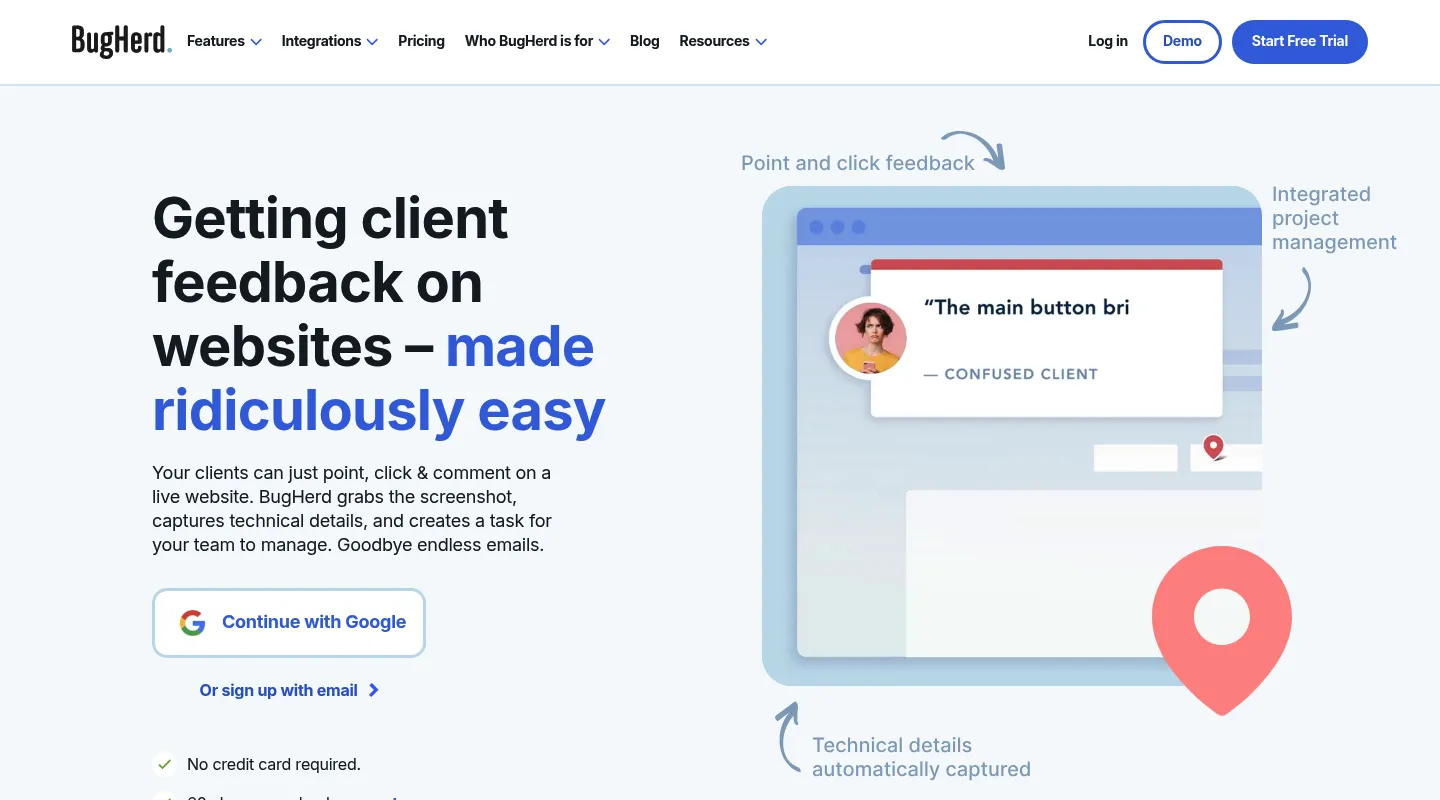
BugHerd is an established agency-focused tool that combines website annotation with a built-in task board. It has been around for over a decade and is well-known in the agency space. It installs as a JavaScript snippet on your site, or as a browser extension for each reviewer if you can't add code.
Key features:
- Point-and-click feedback pinned to website elements
- Built-in Kanban board with customizable columns for task management
- Automatic browser metadata capture (browser, OS, screen resolution, and the element the feedback is pinned to)
- Client guest mode with no login required
- Feedback on Figma files, PDFs, and images
- Video feedback recording
- Integrations: Trello, Slack, GitHub, and Zapier on Standard; Jira, Asana, Linear, ClickUp, and Monday on Premium and up
Pricing:
- Standard: $50/mo — 5 members, unlimited projects
- Studio: $80/mo — 10 members
- Premium: $150/mo — 25 members, adds Jira, Asana, Linear, and ClickUp
- Custom: Contact for pricing
- Free trial, 60-day money-back guarantee
Pros:
✅ Unlimited projects on all plans ✅ Strong Kanban task management built in ✅ Mature product with proven agency workflows ✅ Broad integrations (GitHub on Standard; Jira and Asana on Premium)
Cons:
❌ Needs a script on your site or an extension for each reviewer ❌ No multi-device canvas or responsive breakpoint testing ❌ Interface design shows its age ❌ Member limits on lower tiers ($8/mo per additional member)
3. Marker.io
Best for: Development teams and in-house QA doing internal regression cycles with deep technical metadata capture
Marker.io is a developer-first feedback tool that captures detailed technical context alongside visual annotations. It installs as a JavaScript snippet, a no-code WordPress plugin, or a browser extension, giving it access to any site including behind authentication.
Key features:
- Feedback widget via JavaScript snippet, WordPress plugin, or browser extension
- Automatic capture of console logs and network requests (Team plan and up)
- Screen capture with annotation
- Customizable feedback forms with required fields
- Session replay for reproducing reported issues (Team plan and up)
- Jira integration and two-way issue sync (Team plan and up)
- Guests report through the on-site widget (no extension needed)
Pricing:
- Starter: $39/mo billed yearly ($59 monthly) — 3 users, up to 10 projects, 10 guests; screenshots, environment details, basic integrations
- Team: $149/mo billed yearly ($199 monthly) — 15 users, up to 50 projects, 50 guests; session replay, console and network logs, Jira and two-way issue sync
- Agency: $99/mo billed yearly ($129 monthly) — for qualifying agencies; 15 users, 50 projects, 50 guests
- Business: Custom (annual only)
- 15-day free trial, no credit card required
Pros:
✅ Best-in-class technical metadata capture for developer workflows (Team plan) ✅ Two-way Jira sync on Team (real sync, not just notifications) ✅ Screen capture and environment details on every plan ✅ Customizable forms reduce back-and-forth clarification
Cons:
❌ Needs a snippet or plugin on your site (or an extension per reviewer) — no install-free share link ❌ Console logs, session replay, and two-way sync start at Team ($149/mo billed yearly) ❌ No responsive breakpoint testing or multi-device view ❌ Can overwhelm non-technical clients
4. Userback
Best for: Product teams combining design feedback with session replay and feature voting
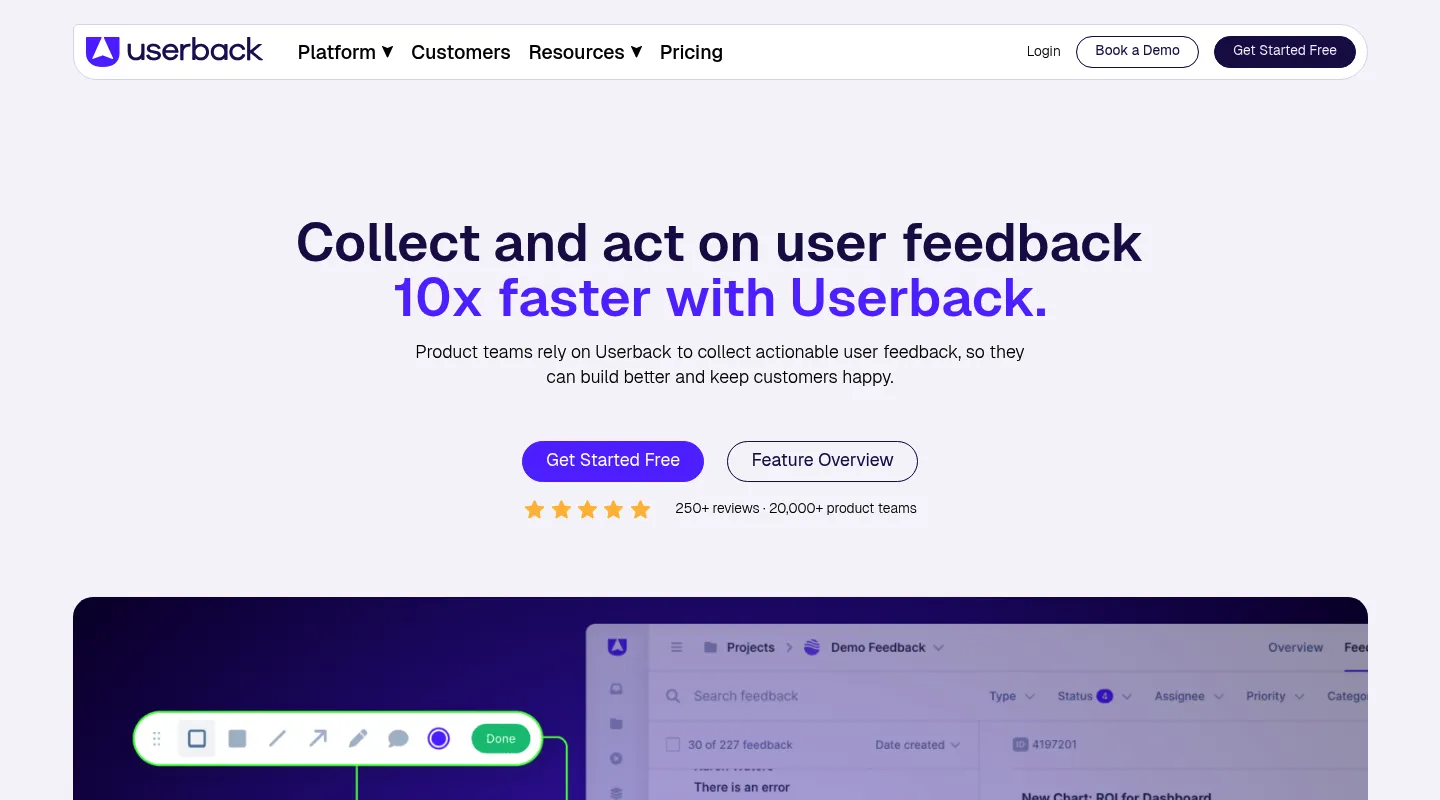
Userback spans both website review and product feedback collection, combining visual annotation with session replay, surveys, and feature voting boards.
Key features:
- In-app feedback widget with screenshot annotation
- Session replay and user recordings
- User satisfaction surveys (NPS, CSAT)
- Feature voting boards for roadmap input
- AI-powered feedback categorization
- Integrations: Jira, GitHub, Slack, Trello, Azure DevOps, Linear, Intercom
Pricing:
- Free: $0 — 2 seats, 2 projects, 7-day feedback retention
- Team: $29/mo billed yearly ($39 monthly) — 5 seats, flat rate
- Business: $79/mo billed yearly ($99 monthly) — session replay, surveys, console logs
- Business Plus: $159/mo billed yearly ($199 monthly)
Pros:
✅ Covers visual feedback, session replay, surveys, and feature voting in one tool ✅ Free plan for getting started ✅ AI-powered feedback categorization saves triage time ✅ Strong integration ecosystem
Cons:
❌ Free plan keeps feedback for only 7 days ❌ Session replay and surveys only from Business ($79/mo billed yearly) ❌ Can feel like overkill for simple design review needs ❌ Learning curve to configure all features
Creative asset review tools
5. Filestage
Best for: Creative agencies managing multi-stage client approval workflows
Filestage is the most comprehensive review and approval platform for creative assets. It supports the widest range of file types and has the most mature approval workflow system in this category.
Key features:
- Support for video, images, PDFs, websites, audio, and documents
- Multi-stage approval workflows with reviewer groups
- Version comparison (side-by-side)
- Custom branding and white-labeling
- Automated reminders for pending approvals
- AI-powered review assistance (Business plan)
- Integrations: Slack, Microsoft Teams, Zapier
Pricing:
- Free: $0 — 1 active project, 5 files/month, 10 team members
- Starter: $199/mo — unlimited projects and files, 1 TB storage
- Business: $329/mo — 3 TB, AI reviewers, automations, API access
- Enterprise: Custom — SSO, audit logs, dedicated support
Pros:
✅ Broadest file format support in the category ✅ Mature multi-stage approval workflows ✅ White-label options for agency branding ✅ Generous free plan includes 10 team members
Cons:
❌ Expensive — Starter is $199/mo ❌ Free plan limited to 1 project and 5 files/month ❌ Can be complex to configure for simple review needs
6. GoVisually
Best for: Design proofing with precise annotation and frame-accurate video comments
GoVisually focuses on visual proofing for design files with clean annotation tools and streamlined approval workflows.
Key features:
- Image, PDF, and video proofing
- Frame-accurate video comments
- Version comparison
- Approval workflows with status tracking
- Guest reviewers without login
- Integrations: Slack, Zapier
Pricing:
- Lite: $16/user/mo — 1 to 5 users
- Pro: $33/user/mo — minimum 3 users
- CPG Compliance AI Suite: from $499/mo
- No permanently free plan — free trial only
Pros:
✅ Precise annotation tools for design work ✅ Frame-accurate video commenting ✅ Clean, focused interface ✅ Affordable Lite plan for freelancers and small teams
Cons:
❌ Per-user pricing on every plan ❌ Limited integrations compared to larger platforms ❌ No website annotation — creative files only ❌ Pro plan requires at least 3 users
7. Ziflow
Best for: Enterprise creative teams with complex approval chains and high volume
Ziflow is a robust proofing platform built for high-volume creative operations at enterprise scale.
Key features:
- Advanced multi-stage approval workflows with automated routing
- Support for video, design files, documents, and web pages
- Custom branding and analytics
- Detailed reporting and audit trails
- API access for custom integrations
Pricing:
- Professional: $50/user/mo
- Enterprise: Custom
- No free plan; demo available
Pros:
✅ Scalable workflows for large teams ✅ Advanced automation and routing ✅ Enterprise-grade security and compliance ✅ Detailed analytics and reporting
Cons:
❌ Expensive per-user pricing ❌ Complex setup — not suited for small teams ❌ Requires commitment to the workflow
8. PageProof
Best for: High-volume creative teams needing automated proofing workflows
PageProof is a professional proofing platform designed for agencies and in-house creative teams handling a high volume of creative output.
Key features:
- Support for images, PDFs, videos, websites, audio, and HTML emails
- Advanced version comparison tools
- Workflow automation with routing rules
- Custom approval processes and reviewer roles
- Activity tracking, reporting, and audit trails
Pricing:
- Team: $249/mo ($2,499/year) — flat rate, unlimited reviewers and storage
- Team Plus: $499/mo ($4,999/year) — flat rate, unlimited reviewers and storage
- Enterprise: Custom
Pros:
✅ Flat-rate pricing with unlimited reviewers (vs. per-user) ✅ Good workflow automation reduces manual coordination ✅ Scales well for high-volume creative output ✅ Audit trail for compliance
Cons:
❌ High entry price ($249/mo) for small teams ❌ Interface feels functional rather than modern ❌ Limited integrations ❌ Setup complexity for smaller teams
9. Pastel
Best for: Teams that review both websites and design files in a single tool
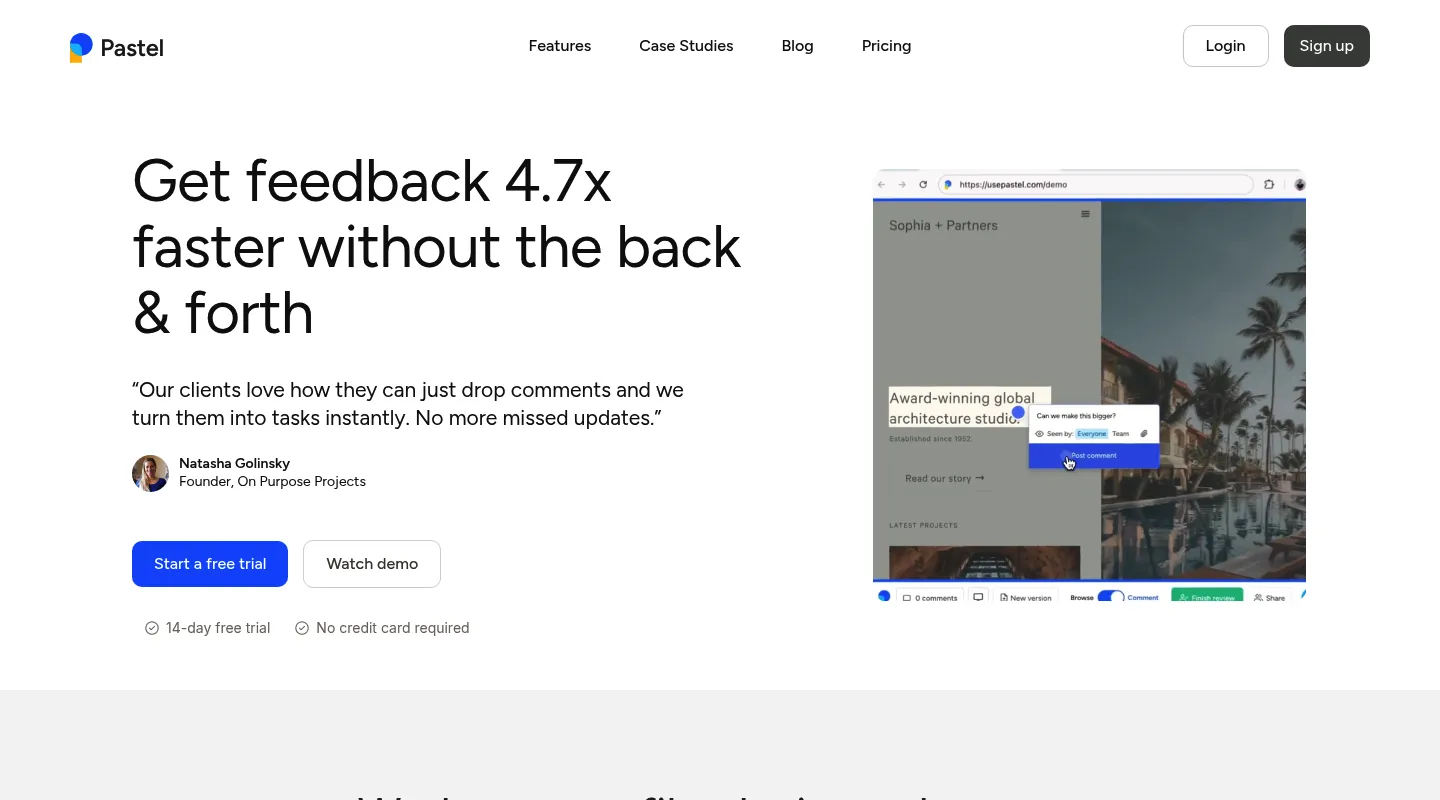
Pastel bridges website annotation with creative file reviews. It loads websites via proxy and handles images, PDFs, and video files with annotation and approval workflows.
Key features:
- Website annotation via proxy (any public URL)
- Responsive tester for switching between mobile, tablet, and desktop views (including on Free)
- Design file reviews (images, PDFs, videos)
- Version comparison for tracking changes
- Approval workflows with sign-off tracking
- Guest commenting without login
Pricing:
- Free Forever: $0 — 1 user, 1 active canvas, 2 GB video storage
- Pro: $35/mo — 2 users, 3 active canvases, 100 GB storage
- Team: $119/mo — 5 users, unlimited canvases (extra users $24/user/mo)
- Enterprise: $450/mo — 10 users, SSO, SOC 2
Pros:
✅ Handles both websites and creative files in one place ✅ Free plan for solo users ✅ Clean, intuitive interface ✅ Good for small agencies with mixed content types
Cons:
❌ Proxy cannot access password-protected staging sites ❌ Per-user pricing scales quickly on Team plan ($24/user) ❌ No side-by-side breakpoint view (the responsive tester shows one view at a time) ❌ Active canvas limits on lower tiers
Digital product review tools
10. Usersnap
Best for: Bug reporting and structured feedback collection on web applications
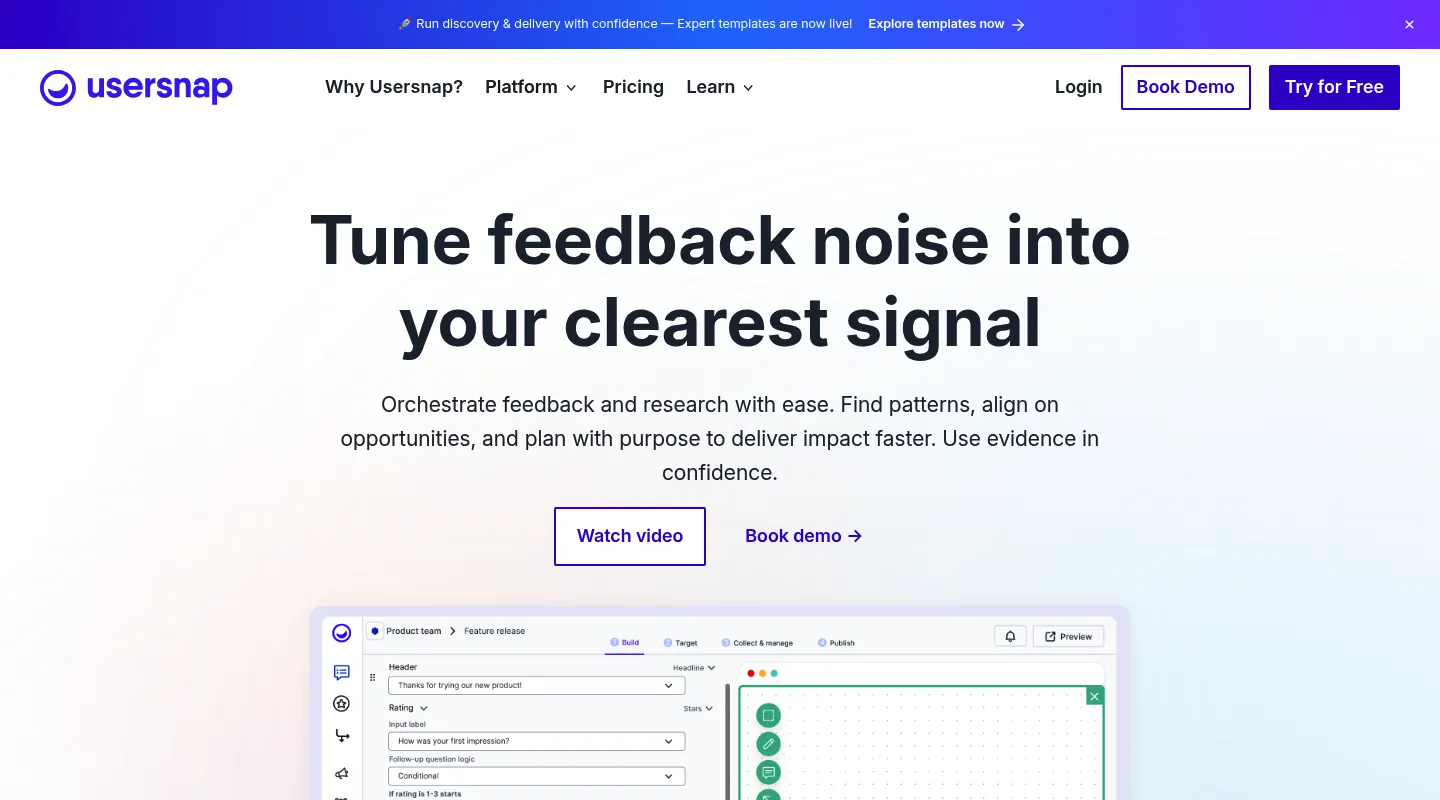
Usersnap combines bug tracking with user feedback collection and microsurveys, with strong technical metadata capture for development teams.
Key features:
- Screenshot annotation with drawing tools
- Screen recording
- Microsurveys, NPS, and satisfaction ratings
- Console log and metadata capture
- Customizable feedback forms
- Integrations: Jira, GitHub, Slack, Azure DevOps, Zendesk
Pricing:
- Starter: €39/mo billed yearly (€49 monthly; $49/$59 USD)
- Growth: €89/mo billed yearly (€109 monthly)
- Professional: €159/mo billed yearly (€199 monthly)
- Premium: from €319/mo billed yearly (€389 monthly)
- No permanent free plan — new accounts get Premium access until they've collected their first 20 feedback items
Pros:
✅ Strong technical metadata for bug reports ✅ Screen recording on paid plans ✅ Mature product with enterprise features ✅ Customizable feedback forms
Cons:
❌ Pricing can be high, particularly in EUR markets ❌ Team member limits on all tiers ❌ No permanent free plan — the free Premium access ends after 20 feedback items ❌ Complex for teams that need simple design feedback
11. Zipboard
Best for: Global teams managing multilingual reviews and localization QA
Zipboard specializes in visual feedback with strong localization and multi-language review features that most competitors lack.
Key features:
- Website and web app annotation
- Localization workflow support with multi-language reviews
- Support for eLearning content (SCORM, xAPI)
- Task management with priority and status tracking
- Integrations: Jira, Slack, Trello, Asana, Microsoft Teams
Pricing:
- Team: $99/mo — up to 20 digital asset pieces, 1 GB storage, unlimited collaborators
- Agency: $199/mo — up to 100 asset uploads, up to 5 managers
- Enterprise: Custom
- No free plan — 15-day trial on all plans
Pros:
✅ Strong localization and multi-language review features ✅ Supports eLearning content formats ✅ Good for international teams with multi-language sites ✅ Comprehensive task management
Cons:
❌ Complex for teams with simple review needs ❌ Higher pricing than comparable tools ❌ Localization features wasted if you only work in one language
12. Atarim (formerly WP Feedback)
Best for: WordPress agencies that want feedback integrated with the WordPress admin
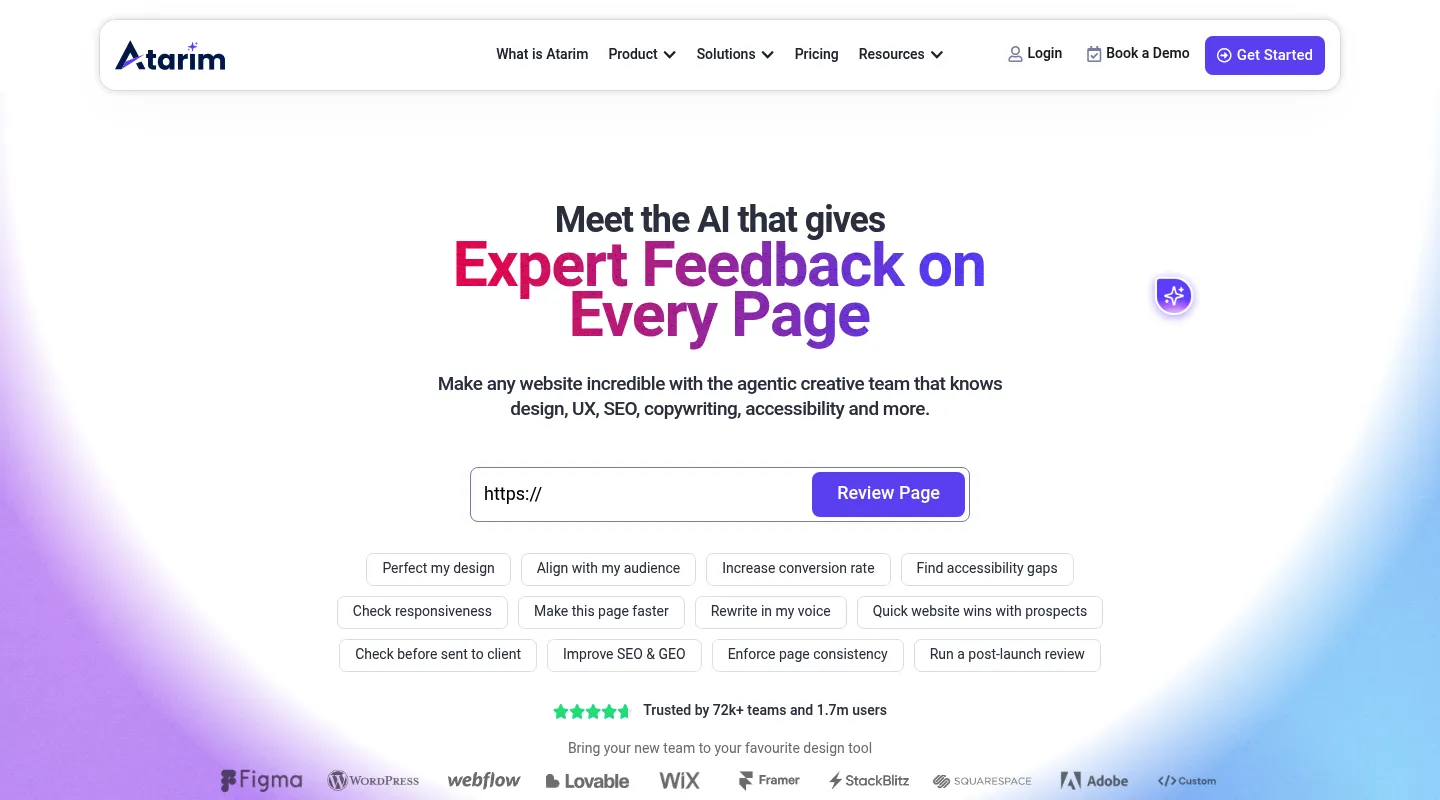
Atarim integrates directly with WordPress, letting clients leave visual feedback on their WordPress sites with issues automatically synced to the WordPress admin. It isn't WordPress-only: Quick URL lets you comment on any live site by URL, and reviewers can also use its Chrome extension.
Key features:
- Visual comments directly on WordPress sites, or any live site via Quick URL
- Front-end editing capabilities
- WordPress admin integration for task management
- Client collaboration without WordPress access
- White-label options for agencies
Pricing:
- Free: $0 — 1 site, 1 project, limited one-time credits
- Pro: $67/mo (20% off billed yearly) — up to 1,000 projects and 100 seats
- Enterprise: Custom
Pros:
✅ Deep WordPress integration — no other tool matches it ✅ Works on non-WordPress sites too, via Quick URL or the Chrome extension ✅ White-label for agency branding
Cons:
❌ Only one paid self-serve plan ($67/mo) — no cheaper step between Free and Pro ❌ Pro is built around AI credits and workflows, which is more than you need for simple design feedback ❌ Free plan covers a single site
13. Redpen
Best for: Simple, affordable image and PDF feedback
Redpen offers straightforward annotation for images and PDFs without the complexity of enterprise proofing tools.
Key features:
- Image and PDF markup with annotation tools
- Version tracking
- Guest comments without login
- Simple approval workflows
Pricing:
- Free: 3 projects
- Plus: $8/mo — unlimited projects
Pros:
✅ Very affordable ✅ Simple and focused ✅ Free plan for small needs
Cons:
❌ Limited features compared to any dedicated proofing tool ❌ No video support ❌ Minimal integrations ❌ Not suitable for complex review workflows
14. Notion (with comments)
Best for: Teams already using Notion who need basic visual feedback without a separate tool
Notion is not a dedicated design review tool, but its image embedding, inline comments, and flexible structure make it viable for simple creative reviews within teams that already work in Notion.
Key features:
- Embed images, PDFs, and Figma designs
- Inline comment threads on any content
- Version history (paid plans)
- Flexible workspace structure
- Extensive API and integration ecosystem
Pricing:
- Free: Personal use
- Plus: $10/mo per user
- Business: $15/mo per user
- Enterprise: Custom
Pros:
✅ No new tool to learn if you already use Notion ✅ All-in-one workspace combining docs, feedback, and project management ✅ Affordable compared to dedicated proofing tools
Cons:
❌ Not purpose-built for visual feedback — no real annotation tools ❌ No frame-accurate video comments or drawing tools ❌ No formal approval workflows ❌ Clunky for any serious design review volume
How to choose the right design review software
Step 1: Identify what you are reviewing
| What you review | Recommended tools |
|---|---|
| Live websites and web apps | Huddlekit, BugHerd, Marker.io |
| Creative files (images, video, PDFs) | Filestage, GoVisually, Ziflow, PageProof |
| Both websites and files | Pastel, Zipboard |
| Digital products and prototypes | Marker.io, Usersnap, Userback |
Step 2: Consider your stakeholders
| Who is reviewing | What matters most | Best options |
|---|---|---|
| External clients (non-technical) | Simplicity, no-login access, clean UI | Huddlekit, BugHerd, Filestage, GoVisually |
| Internal team (technical) | Technical metadata, dev integrations | Marker.io, Usersnap, Zipboard |
| Both internal and external | Balance of simplicity and depth | Huddlekit, Userback, Pastel |
Step 3: Evaluate workflow needs
Need formal approval chains? → Filestage, Ziflow, GoVisually, PageProof Simple comment and resolve? → Huddlekit, Pastel, Redpen Kanban task management? → Huddlekit, BugHerd, Atarim Two-way dev tool sync? → Marker.io (Jira, on Team), BugHerd (Jira, Asana, on Premium)
Step 4: Check budget and scaling
| Budget | Best options |
|---|---|
| Under $20/mo | GoVisually Lite ($16/user), Redpen Plus ($8), Notion |
| $16–100/mo | Huddlekit Pro ($16), Huddlekit Team ($33), Userback Team ($29), Pastel Pro ($35), Marker.io Starter ($39), BugHerd Standard ($50), Atarim Pro ($67), Marker.io Agency ($99), Zipboard Team ($99) |
| $100–200/mo | Pastel Team ($119), Marker.io Team ($149), BugHerd Premium ($150), Filestage Starter ($199) |
| $200+/mo | PageProof Team ($249), Ziflow |
Watch out for per-user pricing. A tool at $30/user/month costs $450/month for a 15-person team. Flat-rate and per-project pricing (Huddlekit, BugHerd, Filestage) are often cheaper for larger teams.
Simple, affordable design reviews across every device.
Try HuddlekitThe design review process that actually works
The tool matters, but the process matters more. Here is a proven five-phase workflow that works regardless of which tool you choose.
1. Set clear review objectives
Before sharing designs, define what you need. Without clear objectives, you get a mix of strategic direction changes and pixel-level nitpicks in the same round.
Before each review, communicate:
- What feedback you need (visual polish, functionality, content accuracy?)
- Who needs to review and in what order
- Decision criteria — what makes it "approved"?
- Timeline and deadlines
Include a brief with each review explaining what changed since the last version and what to focus on. This alone prevents 50% of off-topic feedback.
2. Organize by review phases
Break reviews into distinct stages to prevent mixing strategic feedback with detail work.
Phase 1 — Directional review: High-level concept feedback and stakeholder alignment. Focus on layout, messaging, and overall direction. Do not discuss font sizes here.
Phase 2 — Detailed review: Specific element feedback, functionality testing, and content review. This is where precise annotations matter most.
Phase 3 — QA and polish: Browser and device testing, responsive layout checks, final content proofreading, performance verification.
Phase 4 — Approval: Formal sign-offs from all required stakeholders. No new feedback — only approve or reject with specific blocking issues.
This structure prevents the most common design review bottleneck: mixing "should we change the whole direction?" with "this button is 2px off" in the same round.
3. Make feedback specific and actionable
Vague feedback is the single biggest time-waster in design reviews.
Vague feedback that wastes time:
- "This doesn't look right"
- "Can we make it pop more?"
- "Not sure about this section"
Specific feedback that gets resolved in one pass:
- "The hero image is blurry on desktop — can we use the 2x version?"
- "The CTA button color has poor contrast against the background. Current ratio is about 2.8:1. WCAG AA requires 4.5:1."
- "The navigation overlaps the logo when the viewport is between 768px and 820px"
Framework for giving clear feedback:
- What — identify the specific element
- Issue — describe what is wrong
- Why — explain the impact (accessibility, usability, branding)
- Suggestion — propose a solution if you have one
Tools with inspect mode (like Huddlekit's built-in CSS inspection) help reviewers give specific, technical feedback without needing browser DevTools.
4. Set and enforce deadlines
Without deadlines, reviews drag indefinitely. Parkinson's law applies: feedback expands to fill the time available.
Recommended review timeline:
| Phase | Duration |
|---|---|
| Directional review | 2–3 business days |
| Detailed review | 3–5 business days |
| QA review | 1–2 business days |
| Final approval | 1–2 business days |
Use auto-reminder features (available in Filestage, Ziflow, and most PM integrations) to nudge reviewers before deadlines.
5. Consolidate and prioritize
After collecting feedback from multiple reviewers:
Consolidate: Group similar comments. Three people reporting the same issue is one task, not three.
Prioritize:
- Must-fix — critical issues blocking launch (broken functionality, accessibility violations, legal/compliance problems)
- Should-fix — important but not blocking (visual polish, copy improvements)
- Nice-to-have — optional improvements for later iterations
Resolve conflicts: When feedback conflicts (one stakeholder says "make it bigger," another says "make it smaller"), escalate to the decision-maker before revising. Do not try to satisfy both.
Track status: Move each piece of feedback from Open → In Progress → Resolved. Tools with built-in status tracking (Huddlekit, BugHerd, Filestage) make this visible to everyone.
Common design review challenges (and how to solve them)
Challenge 1: Scattered feedback across tools
Problem: Comments live in email, Slack, Figma, text messages, and a shared Google Doc.
Solution: Choose one tool as the single source of truth for design feedback. When someone sends feedback through another channel, redirect them: "Thanks — can you add that as a comment on the review link?"
What helps: Tools with email notifications, Slack integrations, and shareable links (so reviewers do not need to remember a separate login) make consolidation realistic. If the tool is harder to use than email, people will not use it.
Challenge 2: Vague or unusable feedback
Problem: "This feels off," "make it pop," "I'll know it when I see it."
Solution: Provide a feedback brief before each review explaining what to focus on. Tools with visual annotation force more specific feedback because reviewers have to click on exactly what they mean. Inspect mode (available to Huddlekit team members, not guests on share links) lets your team look up the exact fonts, colors, and spacing behind a vague client comment and turn it into a precise task.
Challenge 3: Version confusion
Problem: Someone reviewed an outdated version. Feedback is applied to the wrong iteration. Hours wasted.
Solution: Use tools with automatic version tracking and always share the latest link. Name versions clearly (v1.0, v1.1 — not "final," "final-final," "final-ACTUALLY-final"). Tools that review live URLs (Huddlekit, BugHerd) avoid this entirely because the URL always shows the current state.
Challenge 4: Slow or missing approvals
Problem: Waiting days or weeks for stakeholder sign-offs with no visibility into who is blocking.
Solution: Set explicit deadlines per review phase and use tools with automated reminders. Make approval status visible to everyone — accountability speeds things up. Filestage and Ziflow excel at formal multi-stage approval tracking.
Challenge 5: Context lost over time
Problem: Three months later, nobody remembers why a design decision was made. The same debate resurfaces.
Solution: Keep all feedback in a tool with permanent, searchable comment history. Comments tied to specific elements and versions create a decision audit trail. This is one reason dedicated design review tools are better than Slack threads — the context is attached to the design, not buried in a chat timeline.
Key takeaways
For website reviews: Huddlekit (client-friendly, multi-device canvas on Pro and Team, inspect mode), BugHerd (agency Kanban, mature integrations), or Marker.io (developer QA, technical metadata)
For creative assets: Filestage (comprehensive multi-stage approvals), GoVisually (design proofing focus), Ziflow (enterprise scale), or PageProof (high volume)
For digital products: Marker.io (developer-friendly, two-way Jira sync), Usersnap (structured bug reporting), or Userback (feedback + session replay + feature voting)
Budget summary:
| Team type | Monthly budget | Top picks |
|---|---|---|
| Solo / freelancer | $8–35/mo | Huddlekit Pro, GoVisually Lite, Redpen |
| Small agency (3–5) | $16–80/mo | Huddlekit Pro/Team, BugHerd Standard |
| Mid-size agency (5–15) | $80–200/mo | BugHerd Studio/Premium, Marker.io Agency |
| Enterprise (15+) | $200+/mo | Filestage, Ziflow, Marker.io Team |
The process matters as much as the tool. Define clear review phases, give specific feedback, set deadlines, and consolidate in one place.
Frequently asked questions
What is the difference between design review software and project management tools?
Design review software focuses on visual feedback — commenting on designs, tracking versions, and managing approvals. Project management tools (Asana, Linear, Jira) handle broader task tracking and team coordination. Most design review tools integrate with PM platforms to sync feedback into existing workflows. They complement each other rather than replace each other.
Can one tool handle websites, creative files, and digital products?
Some tools span categories — Pastel handles websites and design files, Userback covers feedback collection and annotation, MarkUp.io supports websites and 30+ file types. But specialized tools generally perform better within their category. Most teams end up using 1–2 tools for different review types rather than forcing one tool to do everything.
Do I need different tools for internal versus client reviews?
Not necessarily, but consider the experience gap. Client reviews need simple, no-login interfaces where someone unfamiliar with your tools can give useful feedback in under a minute. Internal reviews can use more technical, feature-rich tools. Huddlekit, BugHerd, and Filestage work well for both because they offer guest access alongside team features.
How do design review tools handle version control?
Most tools automatically create new versions when you upload updated files. For live website review tools, the "version" is whatever is currently deployed — the URL always shows the latest state, and past feedback is tied to the screenshot captured at the time of the comment. For file-based tools, you can typically compare versions side-by-side, view the full revision history, and see which comments apply to which version.
What integrations matter most for design review?
For agencies: Slack (notifications), Asana/Trello/ClickUp (task sync), Zapier (custom workflows) For dev teams: Jira, Linear, GitHub (issue tracking with two-way sync), Slack/Teams (communication) For creative teams: Google Drive/Dropbox (file storage), Slack (notifications)
The most valuable integrations are two-way syncs that automatically create tasks from feedback, not just send notifications.
How do I get clients to actually use a design review tool?
Three factors determine adoption: no login required (share a link, not an invitation), obvious interface (they should leave their first comment in under 30 seconds), and no installation (browser extensions are a dealbreaker for most clients). Send the review link with a one-sentence instruction: "Click anywhere on the page to leave a comment." If they need more instruction than that, the tool is too complex for client use.
What is the difference between proofing tools and annotation tools?
Proofing tools (Filestage, Ziflow, PageProof) focus on formal approval workflows — multi-stage review processes with sign-offs, deadlines, and version control. They are built for creative assets that need formal client or legal approval before publication.
Annotation tools (Huddlekit, BugHerd, Marker.io) focus on collaborative feedback — pinning comments to specific elements on a live website or design. They are built for iterative design review during development, not formal approval chains.
Some tools (Pastel, GoVisually) offer both annotation and approval features.
Can design review tools work offline?
Almost all are cloud-based and require internet for commenting and syncing. Some tools let you view previously loaded content or downloaded files offline, but leaving feedback and collaborating always requires connectivity. If offline review is critical (rare for most teams), export designs as PDFs and use PDF annotation tools instead.
How do approval workflows work in design review software?
Approval workflows let you define who needs to approve, in what order, and what happens after approval. A typical workflow:
- Designer submits the asset or website for review
- Creative director or internal team provides feedback
- Designer revises based on feedback
- Client reviews and formally approves (or requests changes)
- Approved design moves to development or production
Tools like Filestage and Ziflow support sequential and parallel approvals, reviewer groups, conditional routing, automated reminders, and audit trails.
Which design review tool is best for responsive web design?
Huddlekit is the only tool in this guide that lets you review responsive layouts across multiple breakpoints simultaneously with its canvas view (mobile, tablet, laptop, desktop side by side, on the Pro and Team plans). Comments are tied to specific device sizes. Other website review tools show one viewport at a time — Pastel's responsive tester switches between mobile, tablet, and desktop views; most others rely on manual browser resizing.
Ready to streamline your design reviews?
The right design review software eliminates confusion, accelerates approvals, and helps teams ship better work faster.
Start by identifying your primary use case (websites, creative assets, or digital products), then match to a tool that fits your reviewers and budget.
If you are reviewing websites and need a client-friendly tool with side-by-side multi-device review (Pro and Team) and built-in design inspection, try Huddlekit.
Related comparisons
See how the design review tools in this guide compare head-to-head with Huddlekit:
- Marker.io alternative — developer QA tool vs. client-friendly review
- BugHerd alternative — Kanban bug tracking vs. responsive canvas
- Pastel alternative — website plus design-file review compared
- Userback alternative — product feedback vs. client review
- Usersnap alternative — structured bug reports vs. visual feedback
- Atarim alternative — WordPress plugin vs. any-stack review
Related resources
- Best website annotation tools in 2026 — deep dive on annotation tools for client feedback and agency reviews
- Best visual feedback tools — comparison across web app review, end-user feedback, and creative asset review
- How to annotate a website — practical guide to annotating live sites for client feedback
- Website review process that actually works — proven workflow optimization
- How to give better website feedback — best practices for actionable feedback
- Website feedback for QA teams — design quality assurance on the live site


