

The best visual feedback tool depends on what you are reviewing. For live websites and web apps, start with Huddlekit, BugHerd, Marker.io, MarkUp.io or Pastel. For feedback from real end users on a shipped product, look at Userback, Usersnap or Hotjar. For creative assets — designs, videos, and PDFs — use Filestage, GoVisually or PageProof.
That split is the entire decision, and getting it wrong is the most expensive mistake in this category. A tool built for gathering customer sentiment on a live SaaS product solves a fundamentally different problem than one designed for agency-client website reviews during development — and both are sold under the same three words.
After testing dozens of tools and running a website feedback product ourselves, we organized this guide around the question that actually matters: what are you reviewing?
This guide covers 15 visual feedback tools across three distinct use cases:
- Website and web app reviews — for agencies, designers, and development teams reviewing sites before launch
- End-user feedback collection — for product managers and SaaS teams gathering feedback from real users
- Creative asset reviews — for designers, marketers, and creative teams proofing designs, videos, and documents
Each section includes detailed tool reviews with verified pricing, pros and cons, and an honest assessment of who each tool works best for.
Quick answer
The right visual feedback tool depends on what you are reviewing:
- Reviewing a live website or web application: Huddlekit (no-install proxy, with a multi-device canvas on Pro and Team), BugHerd (Kanban + script tag), or Marker.io (technical metadata + Jira sync).
- Collecting feedback from real end users on a shipped product: Userback (widget + session replay) or Usersnap (structured bug reports).
- Proofing shared creative content — designs, videos, PDFs: Filestage, GoVisually, or PageProof.
- Reviewing across categories with one tool: Pastel (websites + design files) or MarkUp.io (websites + 30+ file types).
The single biggest mistake is picking a category-mismatch tool. The full guide below explains how to spot the right category for your workflow.
Table of contents
- At-a-glance comparison
- What is a visual feedback tool?
- Part 1: Website and web app review tools
- Part 2: End-user feedback tools
- Part 3: Creative asset review tools
- How to choose the right tool
- Tools for visual feedback on a web application
- Visual feedback on shared content
- Visual development platforms with client feedback
- Common mistakes when choosing a visual feedback tool
- FAQs
At-a-glance comparison
| Tool | Category | Best for | Starting price | Free plan | Installation |
|---|---|---|---|---|---|
| Huddlekit | Website review | Agencies reviewing across devices | $16/mo | Yes (1 project, 3 members) | Proxy (no install) |
| BugHerd | Website review | Agency task management | $50/mo | No (free trial) | Script tag / extension |
| Marker.io | Website review | Developer QA and bug tracking | $39/mo | No (15-day trial) | Snippet / WP plugin / extension |
| MarkUp.io | Website review | Quick public site annotations | $79/mo | No (14-day trial) | Proxy (no install) |
| Pastel | Website review | Website + design file reviews | $35/mo | Yes (limited) | Proxy (no install) |
| Zipboard | Website review | Multilingual website reviews | $99/mo | No (15-day trial) | Proxy / script tag |
| Userback | End-user feedback | Product feedback with session replay | $29/mo | Yes (2 seats) | Script tag / extension |
| Usersnap | End-user feedback | Bug reporting on web apps | €39/mo | No | Script tag / extension |
| Hotjar | End-user feedback | Heatmaps and behavior analytics | $49/mo | Yes | Script tag |
| Mopinion | End-user feedback | Enterprise feedback management | Custom | No | Script tag |
| Qualaroo | End-user feedback | Targeted in-app surveys | $19.99/mo | Yes (50 responses) | Script tag |
| Filestage | Creative review | Client approval workflows | $199/mo | Yes (limited) | Upload-based |
| GoVisually | Creative review | Design proofing | $16/user/mo | No | Upload-based |
| PageProof | Creative review | High-volume creative proofing | $249/mo | No | Upload-based |
| Notion | Creative review | Basic feedback for Notion users | $10/user/mo | Yes | N/A |
What is a visual feedback tool?
A visual feedback tool lets you comment directly on digital work with context — screenshots, annotations, technical metadata, and threaded discussions — instead of vague text-only messages sent over email or Slack. Visual feedback tools cover live websites, web apps, designs, PDFs, and video, and they differ mainly in what they are built to review.
The critical distinction is that different tools solve different problems. A website annotation tool and a heatmap analytics platform are both called "visual feedback tools," but they serve entirely different workflows, teams, and stages of a project.
Three main categories
1. Website and web app review tools
You are building or updating a website or app and need stakeholder feedback before launch. Reviewers are typically internal team members, clients, or project stakeholders.
Key needs:
- Commenting directly on live staging or production sites
- Cross-device and responsive design testing
- Client-friendly interfaces with no technical barriers
- Integration with project management tools like Jira, Linear, or Asana
- Status tracking and resolution workflows
2. End-user feedback tools
Your product is live and you want to understand how real users experience it. Reviewers are your actual customers and users.
Key needs:
- Embedded feedback widgets on production sites
- Analytics and behavior tracking (heatmaps, session replay)
- Survey capabilities (NPS, CSAT, user satisfaction)
- Feature voting and roadmap input
- User segmentation and targeting
3. Creative asset review tools
You need feedback on designs, videos, PDFs, images, or other creative files. Reviewers are clients, creative directors, or approval stakeholders.
Key needs:
- Support for multiple file formats (images, PDFs, video, audio)
- Version comparison and revision history
- Approval workflows with formal sign-offs
- Timestamped video comments
- Proofing and annotation precision
Understanding which category you fall into narrows your search from 15+ tools to 4–6 relevant options.
Part 1: Website and web app review tools
These tools help teams review websites and web applications during development, QA, and pre-launch stages. This is the category with the most variation in how tools work, so the installation method and client experience matter as much as the feature list.
How installation method affects your workflow
The way a tool accesses your website determines who can use it, what devices it supports, and how much setup friction your reviewers face.
| Method | How it works | Pros | Cons |
|---|---|---|---|
| Browser extension | Reviewer installs a Chrome/Firefox extension | Works on any site including staging behind auth | Requires installation per reviewer; no mobile testing |
| Proxy / embed | Tool loads your site through its own URL | No installation for reviewers; instant setup | Can break dynamic sites; pages behind a user login need another method |
| Script tag / widget | You add a code snippet to your site | Works on authenticated pages; supports mobile; nothing for reviewers to install | Requires developer access to add the script |
There is no single best method — each involves trade-offs. If your reviewers are non-technical clients, you want zero setup on their end. If you need mobile testing, you need a proxy or script tag approach. If your staging sits behind a user login, browser extensions or script tags handle this better than proxy tools; simple site passwords and basic auth work through some proxies, including Huddlekit's.
1. Huddlekit
Best for: Agencies and design teams reviewing websites across all devices with non-technical clients
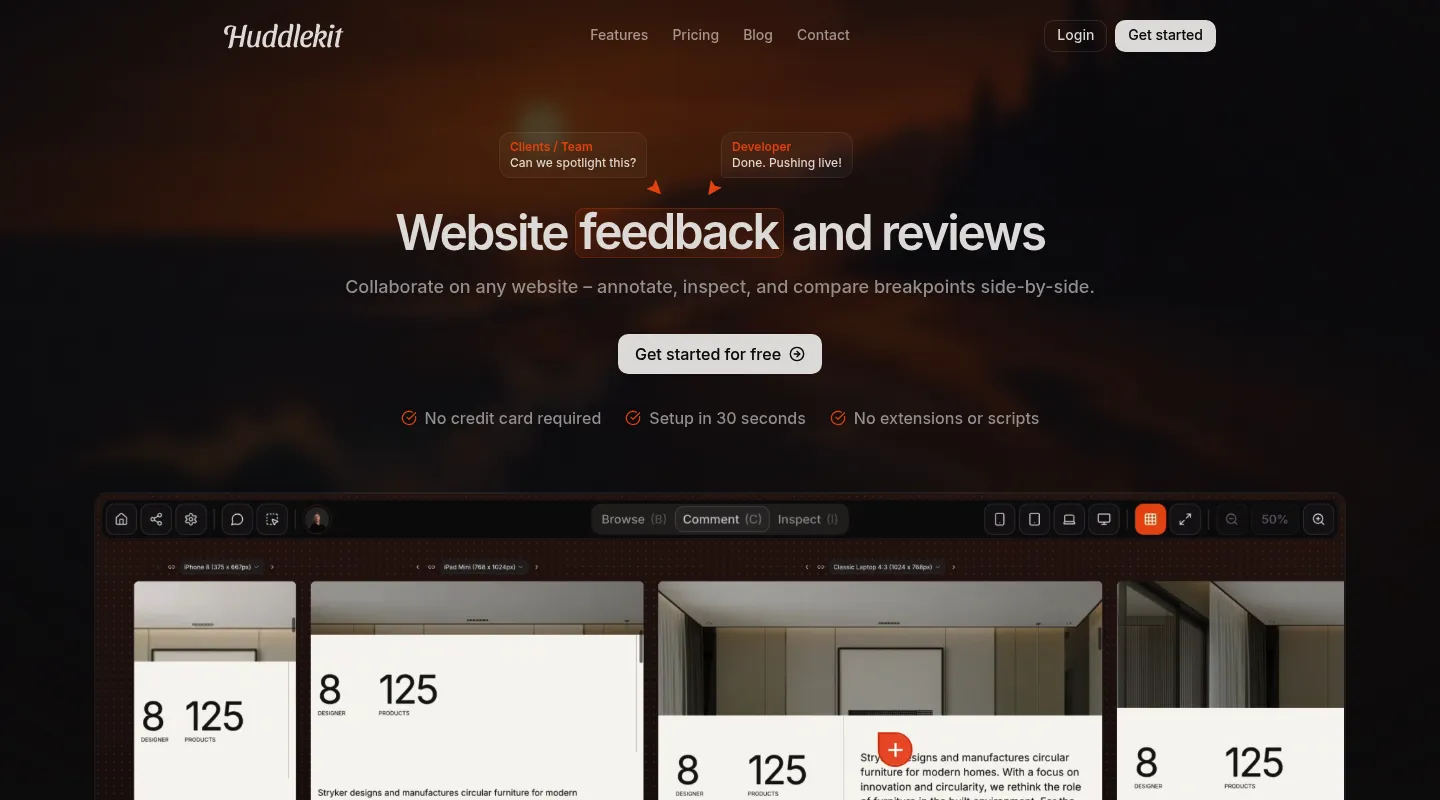
Huddlekit is a website review and feedback workspace that loads your site through a secure proxy, letting reviewers comment directly on live pages without installing anything. It stands out for its multi-device canvas view (Pro and Team) and built-in inspect mode.
Key features:
- Pin comments directly on live websites with visual markers anchored to specific elements
- Canvas view (Pro and Team) — review your site on mobile, tablet, laptop, and desktop simultaneously in a side-by-side layout
- Built-in inspect mode showing element sizes, spacing, typography, and colors — without opening browser DevTools (for team members; guests on share links don't get it)
- Review media assets (images, PDFs, videos) alongside website projects
- Guest access with no login required — share a tokenized link and clients can comment immediately
- Comment statuses (Open, In Review, In Progress, Resolved) with a drag-and-drop kanban board
- Priority levels (Critical, Medium, Low), custom tags, public/private comments, and @mentions
- File attachments on comments (images and PDFs, up to 5 per comment)
- Web app widget — install a script tag on authenticated pages for internal QA, with platform guides for React, Next.js, WordPress, Webflow, and more
- Integrations: Linear, ClickUp, Notion, Asana, Trello, Slack, Zapier, webhooks, and API access on Team; MCP for AI tools on Pro and Team
Pricing:
- Free: 1 project, up to 3 team members — for trying Huddlekit on a real project
- Pro: $16/mo (billed yearly) — 3 team members, unlimited projects, 5 GB storage
- Team: $33/mo (billed yearly) — 15 team members, unlimited projects, 50 GB storage
Monthly billing available at $19 for Pro and $39 for Team. All paid plans include unlimited guests and comments, plus a 30-day money-back guarantee. See Huddlekit's full pricing for the current plan details.
Pros:
✅ Only tool with a true multi-device canvas view (4 breakpoints side by side, Pro and Team) ✅ Built-in CSS inspection for sizes, spacing, typography, and colors ✅ No reviewer login or installation required ✅ Affordable — unlimited projects from $16/mo with no per-user pricing for guests ✅ Clean, modern interface that non-technical stakeholders find intuitive
Cons:
❌ Smaller integration ecosystem than enterprise tools (no native Jira or GitHub sync yet — those go through Zapier on Team) ❌ Newer to market — feature set is still expanding
Best for: Web agencies, freelance designers, and product teams that need responsive testing and client-friendly collaboration without per-user pricing scaling.
Review websites across every device — no installs, no logins.
Try Huddlekit2. BugHerd
Best for: Agencies managing multiple client projects with Kanban-style task management
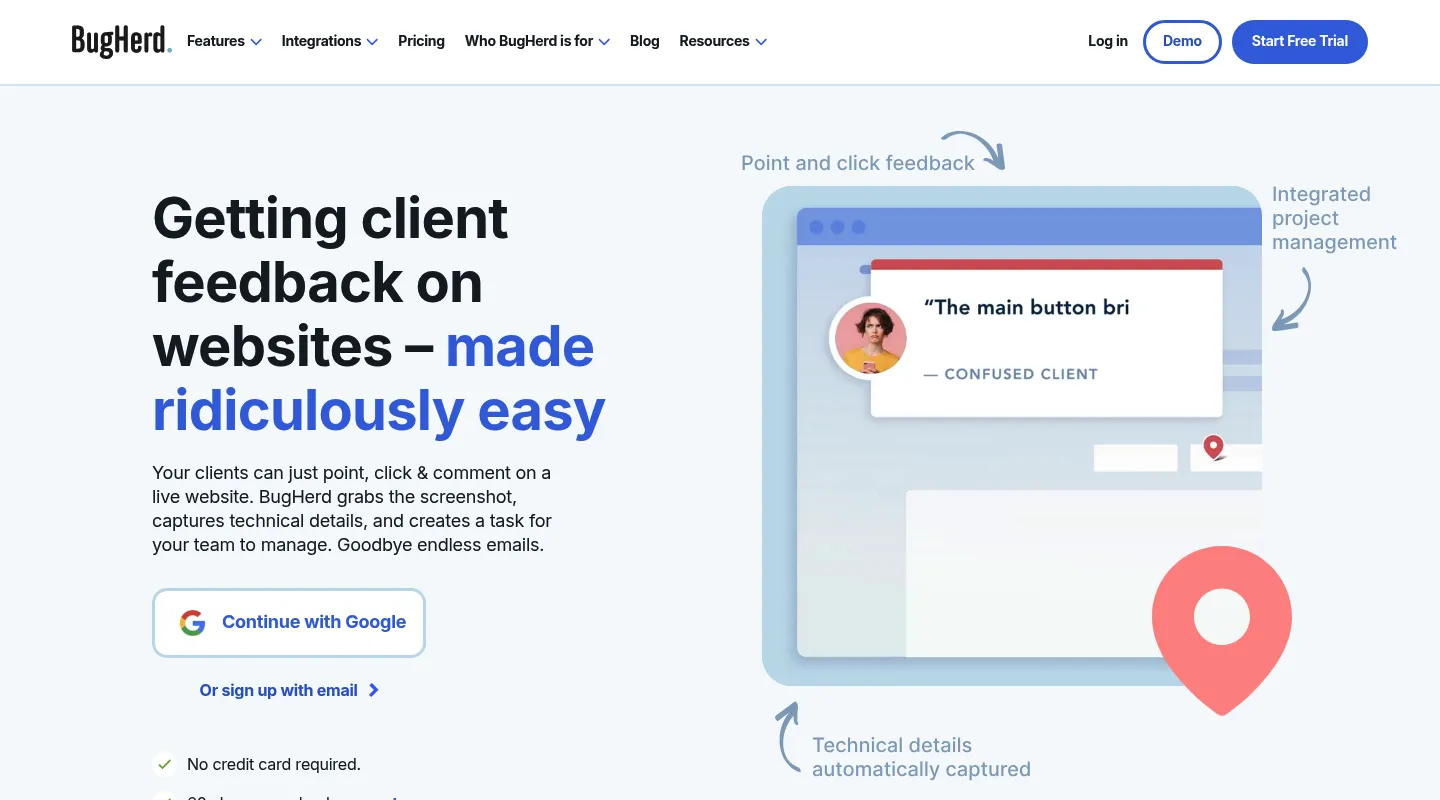
BugHerd is an established agency-focused tool that combines website annotation with a built-in task board. It uses a JavaScript snippet installed on your site, which means reviewers can comment without installing anything — but you need developer access to add the script. If you can't add code, each reviewer can use BugHerd's browser extension instead.
Key features:
- Point-and-click feedback pinned to website elements
- Built-in Kanban board for task management with customizable columns
- Automatic browser metadata capture (browser, OS, screen resolution, and the element the feedback is pinned to)
- Guest access for clients with no login required
- Feedback on Figma files, PDFs, and images (added recently)
- Video feedback recording
- Integrations: Trello, Slack, GitHub, and Zapier on Standard; Jira, Asana, Linear, ClickUp, and Monday on Premium and up
Pricing:
- Standard: $50/mo — 5 members, unlimited projects
- Studio: $80/mo — 10 members
- Premium: $150/mo — 25 members, adds Jira, Asana, Linear, and ClickUp
- Custom: Contact for pricing
- Free trial, 60-day money-back guarantee
Pros:
✅ Unlimited projects on all plans ✅ Strong task management with Kanban board ✅ Mature product with proven agency workflows ✅ Broad integrations (GitHub on Standard; Jira, Asana, Linear, and ClickUp on Premium)
Cons:
❌ Needs a script on your site or an extension for each reviewer (no proxy option) ❌ No multi-device canvas or responsive breakpoint testing ❌ Interface design feels dated compared to newer tools ❌ Member limits on lower tiers — additional members cost $8/mo each
Best for: Established agencies with multiple concurrent client projects who want built-in task management and strong PM tool integrations.
3. Marker.io
Best for: Development teams doing internal QA with deep technical metadata capture
Marker.io is a developer-first feedback tool that captures detailed technical context — environment data on every plan, plus console logs and network requests from the Team plan up — alongside visual annotations. It installs as a JavaScript snippet, a no-code WordPress plugin, or a browser extension, so it reaches any site, including behind a login — but its developer focus can create friction for non-technical reviewers.
Key features:
- Feedback widget via JavaScript snippet, WordPress plugin, or browser extension
- Automatic capture of console logs and network requests (Team plan and up)
- Screen capture with annotation
- Customizable feedback forms with required fields
- Session replay for reproducing issues (Team plan and up)
- Jira integration and two-way issue sync (Team plan and up)
- Guests report through the on-site widget (no extension needed)
Pricing:
- Starter: $39/mo billed yearly ($59 monthly) — 3 users, up to 10 projects, 10 guests; screenshots, environment details, basic integrations
- Team: $149/mo billed yearly ($199 monthly) — 15 users, up to 50 projects, 50 guests; session replay, console and network logs, Jira and two-way issue sync
- Agency: $99/mo billed yearly ($129 monthly) — for qualifying agencies; 15 users, 50 projects, 50 guests
- Business: Custom pricing (annual only)
- 15-day free trial, no credit card required
Pros:
✅ Best-in-class technical metadata capture for developer workflows (Team plan) ✅ Screen capture and environment details on every plan ✅ Two-way Jira sync on Team (not just one-direction) ✅ Customizable feedback forms reduce back-and-forth
Cons:
❌ Needs a snippet or plugin on your site (or an extension per reviewer) — no install-free share link ❌ Console logs, session replay, and two-way sync start at Team ($149/mo billed yearly) ❌ No responsive breakpoint testing or multi-device view ❌ Can feel complex and overwhelming for non-technical clients
Best for: SaaS development teams, QA engineers, and internal bug reporting workflows where technical context matters more than client simplicity.
4. MarkUp.io
Best for: Quick annotations on public websites and various file types
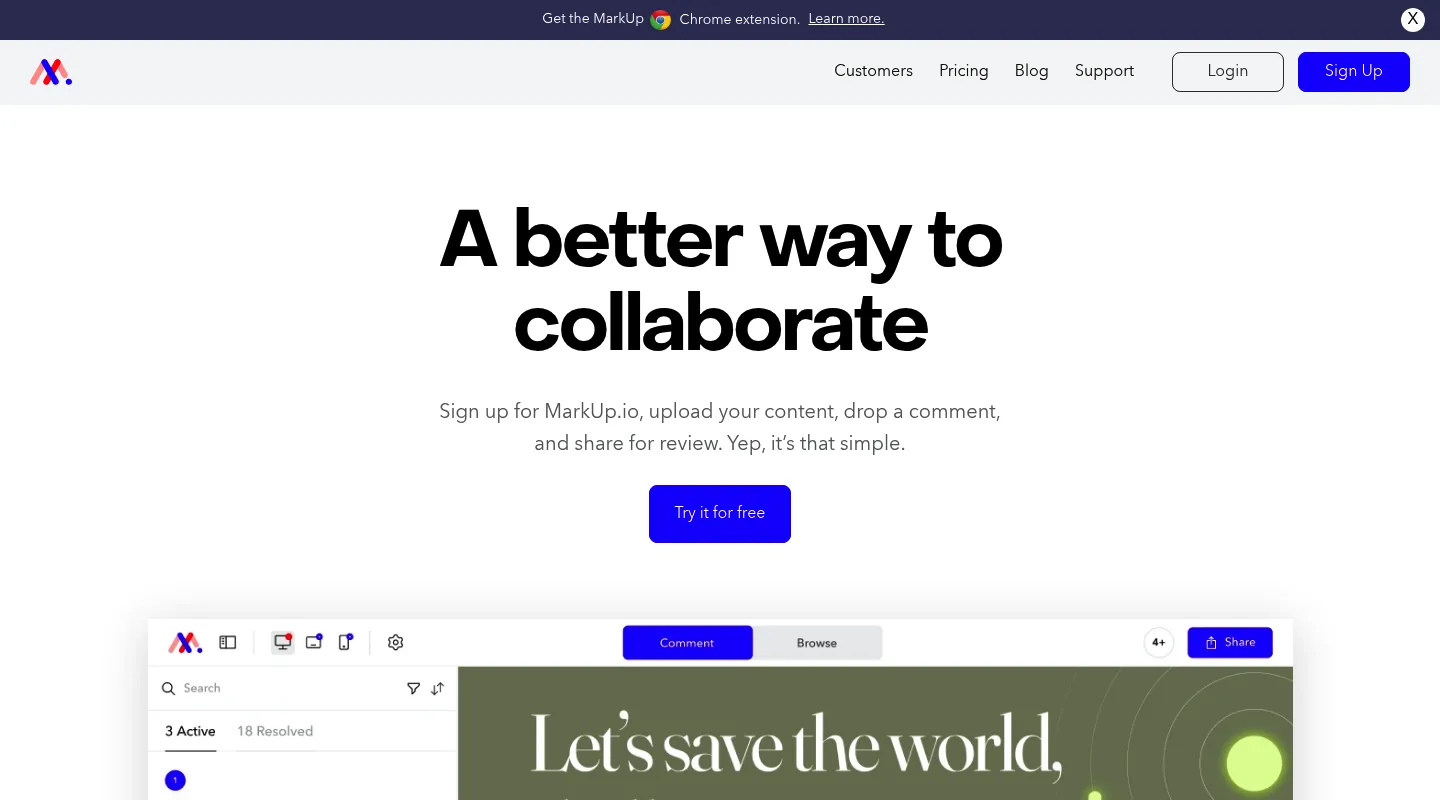
MarkUp.io uses a proxy approach to load any public URL for annotation. It also supports over 30 file types (images, PDFs, videos, audio, HTML) making it versatile beyond just website review.
Key features:
- Instant URL annotation — paste a URL and start commenting
- Drawing tools, arrows, shapes, and highlights
- Support for 30+ file types including video with timestamped comments
- Threaded collaboration and discussions
- Integrations: Slack, Trello, Asana, Jira, Monday.com
Pricing:
- Pro: $79–$129/mo — unlimited users, 50–100 MarkUps (review files) per month
- Enterprise: Custom — unlimited storage and workspaces, SSO, SOC II
- 14-day free trial
Pros:
✅ Zero installation — works instantly on any public URL ✅ Unlimited users on the Pro plan (no per-seat pricing) ✅ Supports 30+ file types beyond websites ✅ Simple, approachable interface
Cons:
❌ Cannot access password-protected staging environments ❌ Proxy can break JavaScript-heavy dynamic sites ❌ No responsive breakpoint testing or mobile views ❌ No free plan — 14-day trial only
Best for: Teams reviewing public-facing websites, competitive analysis, or mixed content (websites, PDFs, videos) in a single tool.
5. Pastel
Best for: Teams that review both websites and design files in one place
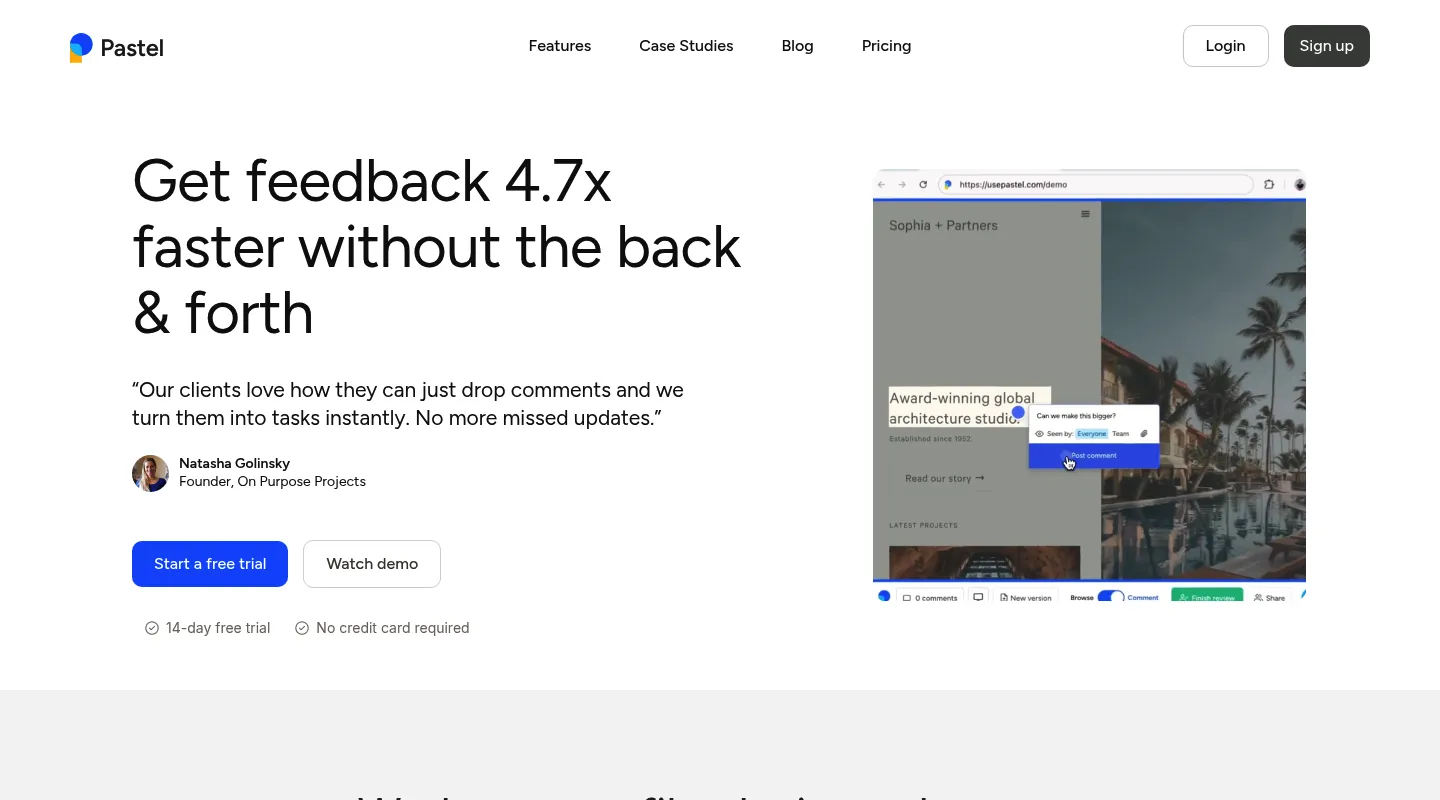
Pastel bridges website annotation with creative file reviews. It loads websites via proxy and also handles images, PDFs, and video files with annotation and approval workflows.
Key features:
- Website annotation via proxy
- Design file reviews (images, PDFs, videos)
- Version comparison for tracking changes
- Approval workflows with sign-off tracking
- Guest commenting without login
- Canvas feature for organizing multiple review items
- Responsive tester for switching between mobile, tablet, and desktop views (including on Free)
Pricing:
- Free Forever: $0 — 1 user, 1 active canvas, 2 GB video storage
- Pro: $35/mo — 2 users, 3 active canvases, 100 GB storage
- Team: $119/mo — 5 users, unlimited canvases, 500 GB storage (extra users $24/user/mo)
- Enterprise: $450/mo — 10 users, SSO, SOC 2, custom terms
- 14-day free trial on paid plans
Pros:
✅ Handles both websites and creative files in one tool ✅ Free plan available for solo users ✅ Clean, intuitive interface ✅ Good approval workflow for client sign-off
Cons:
❌ Proxy limitations for authenticated staging sites ❌ No side-by-side breakpoint view (the responsive tester shows one view at a time) ❌ Per-user pricing scales quickly for agencies ($24/user on Team) ❌ Active canvas limits on lower tiers
Best for: Small design agencies that need a single tool for both website and creative file reviews, and can work within the canvas limits.
6. Zipboard
Best for: Global teams managing multilingual website reviews and localization QA
Zipboard specializes in visual feedback with localization and multi-language review support — a niche most competitors ignore entirely.
Key features:
- Website and web app annotation
- Localization workflow support with multi-language review capabilities
- Support for eLearning content, SCORM, and xAPI
- Task management with priority and status tracking
- Integrations: Jira, Slack, Trello, Asana, Microsoft Teams
Pricing:
- Team: $99/mo — up to 20 digital asset pieces, 1 GB storage, unlimited collaborators
- Agency: $199/mo — up to 100 asset uploads, up to 5 managers
- Enterprise: Custom
- No permanently free plan — 15-day trial on all plans
Pros:
✅ Strong localization and multi-language review features ✅ Supports eLearning content formats (SCORM, xAPI) ✅ Good for international teams with multi-language sites ✅ Comprehensive task management
Cons:
❌ Complex interface for teams with simple review needs ❌ Higher price point than comparable tools ❌ Steeper learning curve ❌ Localization features are wasted if you only work in one language
Best for: Enterprise teams with multilingual websites, eLearning companies, and global agencies doing localization QA.
Simple feedback for teams that ship websites.
Start reviewing for freePart 2: End-user feedback tools
These tools collect feedback from actual users on your live website or application. The key difference from website review tools: instead of internal reviewers or clients giving feedback during development, these tools capture input from real customers using your product in production.
What to look for
Widget-based collection: Embedded feedback buttons let users report issues or share opinions without leaving your site. The widget needs to be lightweight enough not to affect page performance.
Analytics and behavior tracking: Understanding what users do (heatmaps, recordings) is often more valuable than what they say. Look for tools that combine qualitative feedback with behavioral data.
Survey capabilities: NPS, CSAT, and custom surveys help measure satisfaction and gather structured input at strategic moments.
Segmentation and targeting: The ability to show feedback prompts to specific user groups, pages, or behaviors makes the difference between useful feedback and noise.
7. Userback
Best for: Product teams combining visual feedback with session replay and feature voting
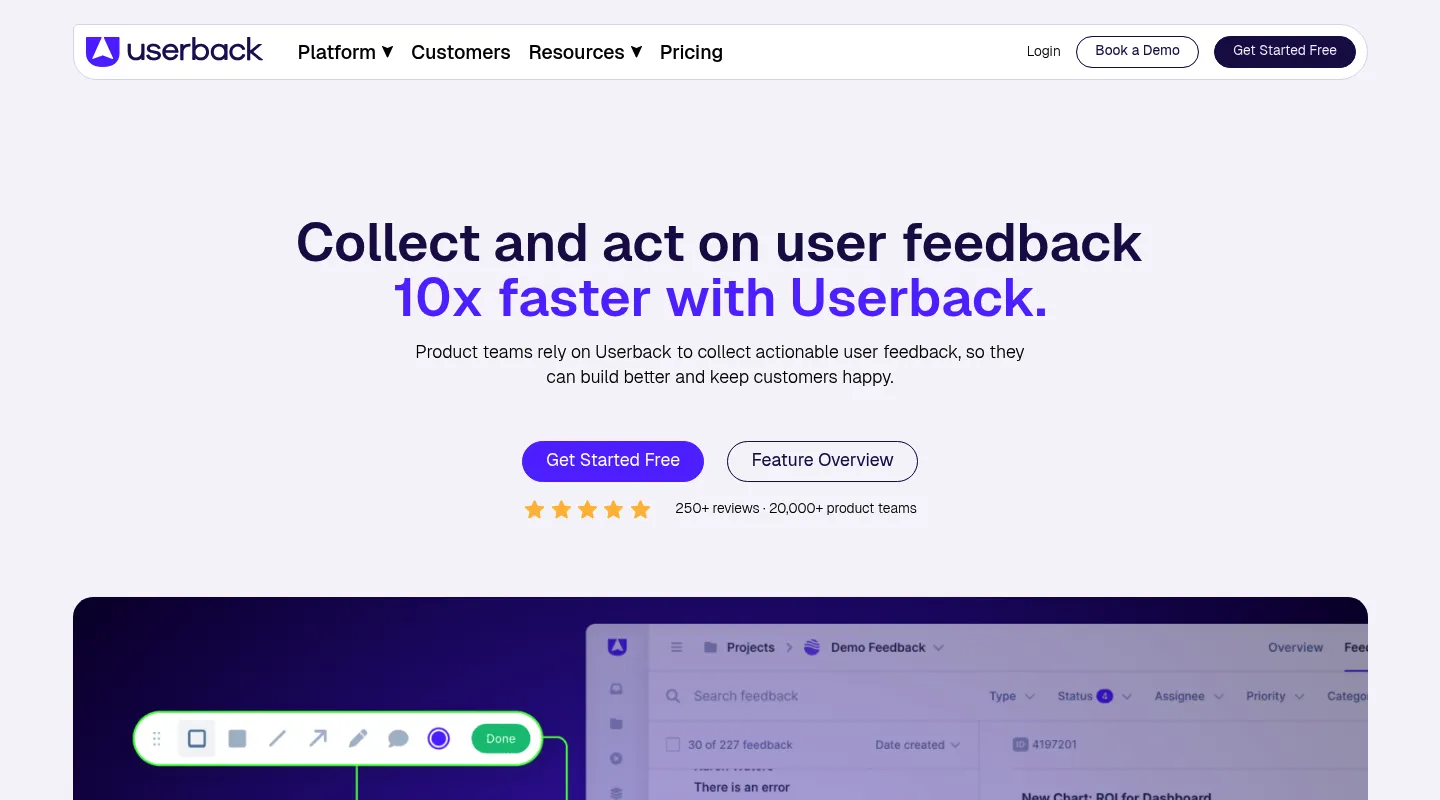
Userback is a comprehensive platform that combines visual feedback collection, session replay, surveys, and feature voting boards. It covers more ground than most tools in this category.
Key features:
- In-app feedback widget with screenshot annotation
- Session replay and user recordings
- User satisfaction surveys (NPS, CSAT)
- Feature voting boards and roadmap input
- Visual annotation and drawing tools
- AI-powered feedback categorization
- Integrations: Jira, GitHub, Slack, Trello, Azure DevOps, Linear, Intercom
Pricing:
- Free Forever: $0 — 2 seats, 2 feedback projects, 7-day retention
- Team: $29/mo billed annually ($39 monthly) — 5 seats included, flat rate
- Business: $79/mo billed annually ($99 monthly) — unlimited seats; session replay, surveys, console logs
- Business Plus: $159/mo billed annually ($199 monthly) — unlimited seats
- Enterprise: Custom
Pros:
✅ Comprehensive feedback platform covering multiple use cases ✅ Session replay helps understand context behind reported issues ✅ Feature voting gives product teams roadmap input ✅ Generous free plan for getting started
Cons:
❌ The step from Team to Business is steep if you need session replay or surveys ❌ Feature depth can feel like overkill if you only need simple annotation ❌ Session replays only available from the Business tier ($79/mo billed annually) ❌ Learning curve to set up all features effectively
Best for: SaaS product teams that want feedback collection, session replay, and feature voting in a single platform rather than buying separate tools.
8. Usersnap
Best for: Bug reporting and structured feedback collection on web applications
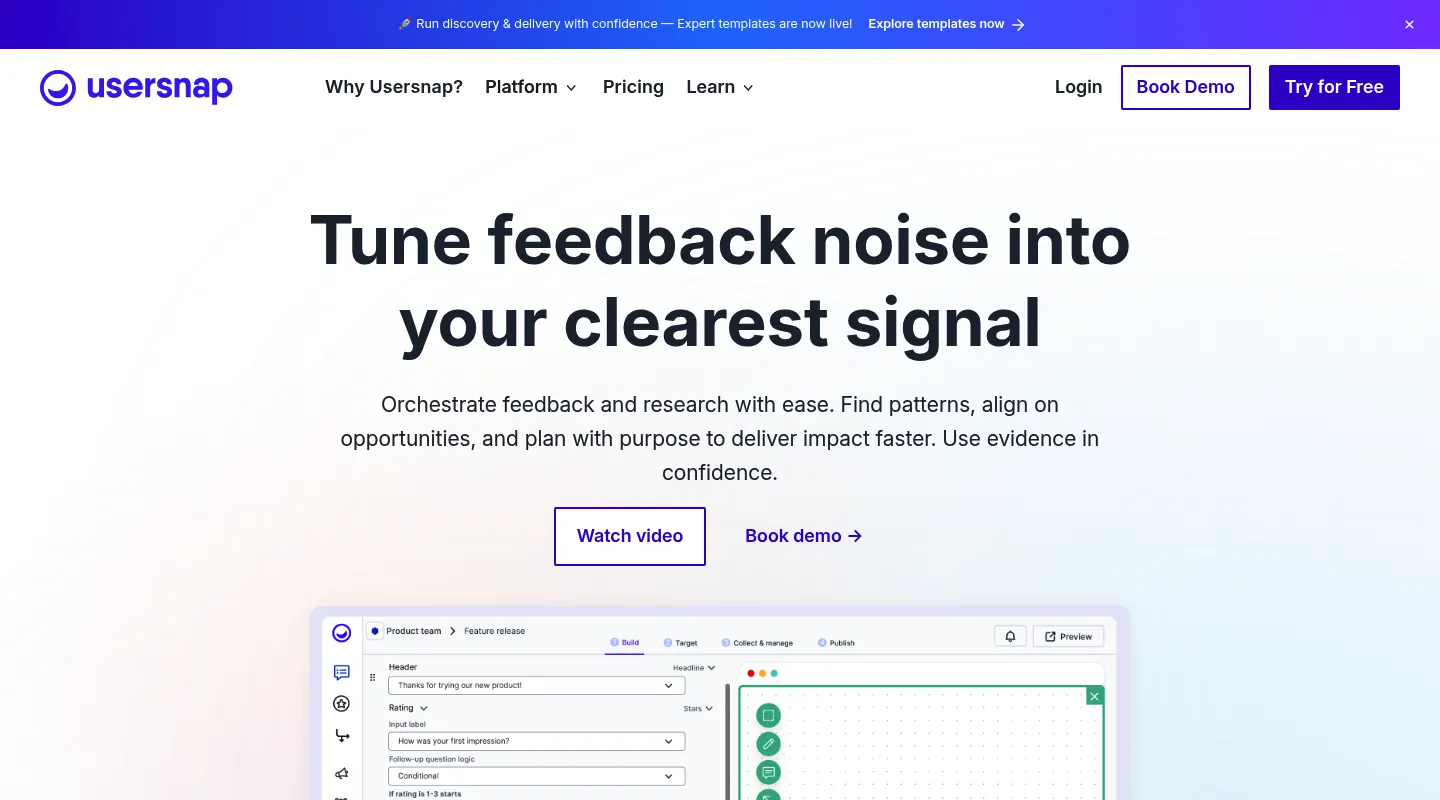
Usersnap combines bug tracking with user feedback collection and microsurveys. It is particularly strong at capturing technical context alongside visual feedback, making it popular with QA and product teams.
Key features:
- Screenshot annotation with drawing tools
- Screen recording
- Microsurveys, NPS, and satisfaction ratings
- Console log capture and technical metadata
- Bug tracking workflows with customizable forms
- Integrations: Jira, GitHub, Slack, Azure DevOps, Zendesk, Intercom
Pricing:
- Starter: €39/mo billed yearly (€49 monthly; $49/$59 USD)
- Growth: €89/mo billed yearly (€109 monthly)
- Professional: €159/mo billed yearly (€199 monthly)
- Premium: from €319/mo billed yearly (€389 monthly)
- No permanent free plan — new accounts get Premium access until they've collected their first 20 feedback items
Pros:
✅ Strong technical metadata capture for bug reporting ✅ Screen recording on paid plans ✅ Mature product with enterprise-grade features ✅ Customizable feedback forms and microsurveys
Cons:
❌ Pricing can be high, especially in EUR markets ❌ Team member limits on all tiers ❌ Complex setup for teams that just need simple feedback ❌ No permanent free plan — the free Premium access ends after 20 feedback items
Best for: Software teams running structured bug reporting and user feedback programs at scale, with budget for a premium tool.
9. Hotjar (now part of Contentsquare)
Best for: Understanding user behavior through heatmaps, recordings, and feedback polls
Hotjar focuses on behavior analytics — heatmaps, session recordings, and feedback widgets. It was acquired by Contentsquare and now operates under their umbrella, though the Hotjar product continues as a standalone offering.
Key features:
- Heatmaps (click, move, scroll)
- Session recordings
- Feedback polls and surveys
- Incoming feedback widget
- Funnel analysis and conversion tracking
- User interview recruitment
Pricing:
Hotjar's pricing is now split across product lines under Contentsquare:
- Experience Analytics: Free (200K sessions/mo) → Growth from $49/mo
- Voice of Customer: Free (100 responses/mo) → Growth from $99/mo
- Product Analytics: Free (10K sessions/mo) → Growth from custom pricing
Pros:
✅ Industry-leading heatmap and session replay features ✅ Generous free tier for getting started ✅ Large community and extensive educational resources ✅ Good for conversion rate optimization (CRO)
Cons:
❌ Limited annotation or commenting features — this is analytics, not collaboration ❌ Session and response limits on lower tiers ❌ Pricing has become more complex since the Contentsquare acquisition ❌ Not designed for detailed, actionable visual feedback
Best for: Marketing teams optimizing conversions, UX researchers studying user behavior, and product teams that need behavioral data more than direct feedback.
10. Mopinion
Best for: Enterprise feedback management across web, mobile, and email channels
Mopinion is an enterprise-grade feedback platform with advanced targeting, multi-channel collection, and text analytics with sentiment analysis.
Key features:
- Customizable feedback forms and surveys
- Multi-channel collection (web, mobile apps, email)
- Advanced targeting and behavioral triggers
- Text analytics with AI-powered sentiment analysis
- Custom dashboards and reporting
- White-label options for agencies
Pricing:
- Custom pricing — starts around €199/mo
- Plans scale based on page views and features
- No free plan; demo available on request
Pros:
✅ Enterprise-grade features and reliability ✅ Advanced analytics with sentiment analysis ✅ Multi-channel support (web, mobile, email) ✅ White-label options for agency use
Cons:
❌ Expensive — not accessible for small teams or startups ❌ Requires a custom pricing quote (no self-serve signup) ❌ Overkill for teams with straightforward feedback needs ❌ Complex setup and configuration
Best for: Large enterprises with complex, multi-channel feedback programs and the budget for enterprise tooling.
11. Qualaroo
Best for: Targeted user surveys triggered at strategic moments in the user journey
Qualaroo specializes in contextual surveys — small prompts that appear at the right moment based on user behavior, page, or segment. It is now part of the ProProfs suite.
Key features:
- Contextual survey targeting based on behavior and page
- NPS and sentiment tracking
- AI-powered insights and response analysis
- Branching logic for survey flows
- Integration with Google Analytics, Salesforce, and other analytics tools
Pricing:
- Free: $0 — 50 responses, 500 email sends, 10,000 pageviews
- Essentials: $19.99/mo — unlimited responses, 1,000 email sends/month
- Business: $49.99/mo — 5,000 email sends and 100,000 pageviews/month
- Enterprise: from $149.99/mo — custom volumes, annual billing only
Pros:
✅ Smart behavioral targeting for surveys ✅ Non-intrusive survey format ✅ AI-powered response analysis ✅ Good for user research and sentiment tracking
Cons:
❌ Response-based pricing can get expensive at scale ❌ Limited visual feedback capabilities — survey-focused only ❌ Narrower scope than multi-purpose feedback platforms ❌ Less active development since ProProfs acquisition
Best for: UX researchers and product managers running targeted contextual surveys, especially when combined with other analytics tools.
Part 3: Creative asset review tools
These tools help creative teams collaborate on designs, videos, documents, and other non-web assets. The core workflow is upload → annotate → approve, with version tracking throughout.
What to look for
File format support: Does it handle your content types? Images, PDFs, videos, InDesign files, After Effects comps, audio — the range varies significantly.
Version control: Can you compare versions side-by-side and track the full revision history? This prevents the "which file is the latest?" problem.
Approval workflows: Do you need multi-stage reviews with formal sign-offs? Some tools offer simple approve/reject, while others support multi-round approval chains.
Timestamp precision: For video reviews, frame-accurate comments are essential. Generic "this part of the video" feedback is nearly useless.
12. Filestage
Best for: Creative agencies managing multi-stage client approval workflows
Filestage is a comprehensive review and approval platform built for creative teams. It supports the widest range of file types in this category and has the most mature approval workflow system.
Key features:
- Support for video, images, PDFs, websites, audio, and documents
- Multi-stage approval workflows with reviewer groups
- Version comparison (side-by-side)
- Custom branding and white-labeling
- Automated reminders for pending approvals
- AI-powered review assistance (Business plan)
- Integrations: Slack, Microsoft Teams, Zapier, project management tools
Pricing:
- Free: $0 — 1 active project, 5 files/month, 2 GB storage, 10 team members
- Starter: $199/mo — unlimited projects and files, 1 TB storage
- Business: $329/mo — 3 TB storage, AI reviewers, automations, API access
- Enterprise: Custom — 10 TB, SSO, audit logs, dedicated support
Pros:
✅ Broadest file format support in the category ✅ Mature multi-stage approval workflows ✅ White-label options for agency use ✅ Generous free plan for testing (10 team members included)
Cons:
❌ Expensive — Starter plan is $199/mo ❌ Review limits on the free plan (1 project, 5 files/month) ❌ Can be complex to configure for simple review needs ❌ Primarily designed for creative assets, not live websites
Best for: Creative agencies, video production teams, and marketing departments running formal multi-round approval processes.
13. GoVisually
Best for: Design proofing with precise annotation tools
GoVisually focuses on visual proofing for design files with frame-accurate video commenting and streamlined approval workflows.
Key features:
- Image, PDF, and video proofing
- Frame-accurate video comments
- Version comparison
- Approval workflows with status tracking
- Guest reviewers without login
- Integrations: Slack, Zapier
Pricing:
- Lite: $16/user/mo — 1 to 5 users ($192/user/year billed annually)
- Pro: $33/user/mo — minimum 3 users ($396/user/year billed annually)
- CPG Compliance AI Suite: from $499/mo
- No permanently free plan — free trial only
Pros:
✅ Precise annotation tools for design work ✅ Frame-accurate video commenting ✅ Clean, focused interface ✅ Affordable Lite plan for freelancers and small teams
Cons:
❌ Limited integrations compared to alternatives ❌ Per-user pricing on every plan ❌ No website annotation — creative files only ❌ Pro plan requires at least 3 users
Best for: Graphic designers, illustrators, and video editors who need a focused proofing tool without enterprise complexity.
14. PageProof
Best for: High-volume creative teams needing automated proofing workflows
PageProof is a professional proofing platform designed for agencies and in-house creative teams handling a high volume of creative assets.
Key features:
- Support for images, PDFs, videos, websites, audio, and HTML emails
- Advanced version comparison tools
- Workflow automation with routing rules
- Custom approval processes and reviewer roles
- Activity tracking, reporting, and audit trails
Pricing:
- Team: $249/mo ($2,499/year) — flat rate, unlimited reviewers and storage
- Team Plus: $499/mo ($4,999/year) — flat rate, unlimited reviewers and storage
- Enterprise: Custom
Pros:
✅ Scales well for high-volume creative output ✅ Workflow automation reduces manual coordination ✅ Good reporting and audit trail ✅ Flat-rate pricing with unlimited reviewers — no per-user charges
Cons:
❌ High entry price ($249/mo) for small teams ❌ Interface feels more functional than modern ❌ Limited integrations ❌ Setup complexity for smaller teams
Best for: High-volume creative agencies and production teams where workflow automation and audit trails are worth the setup investment.
15. Notion (with comments)
Best for: Teams already using Notion who need lightweight visual feedback
Notion is not a dedicated feedback tool, but its document embedding, inline comments, and flexible structure make it a viable option for simple creative reviews within teams that already live in Notion.
Key features:
- Embed images, PDFs, and Figma designs
- Inline comment threads on any embedded content
- Version history on paid plans
- Collaboration within the same workspace
- Extensive API and integrations ecosystem
Pricing:
- Free: Personal use
- Plus: $10/mo per user
- Business: $15/mo per user
- Enterprise: Custom
Pros:
✅ No new tool to learn if your team already uses Notion ✅ All-in-one workspace combining docs, feedback, and project management ✅ Affordable compared to dedicated proofing tools ✅ Flexible structure adapts to any workflow
Cons:
❌ Not purpose-built for visual feedback — limited annotation tools ❌ No frame-accurate video comments or drawing tools ❌ No formal approval workflows ❌ Clunky for high-volume reviews or complex proofing needs
Best for: Small teams already using Notion who need basic feedback capabilities and do not want to adopt a separate tool.
How to choose the right tool
Start with your use case
Are you reviewing websites or web apps during development? → Go to Website and web app tools
Are you collecting feedback from end users on a live product? → Go to End-user feedback tools
Are you reviewing creative assets (designs, videos, documents)? → Go to Creative asset tools
Then match your constraints
Consider your reviewers. If your reviewers are non-technical clients, prioritize tools with no login requirements, clean interfaces, and zero installation friction. If they are developers, technical metadata and PM integrations matter more.
Consider your devices. If responsive design reviews across mobile, tablet, and desktop are important, check whether the tool actually supports real breakpoint testing. Most tools are desktop-only. Huddlekit's canvas view (Pro and Team) is the only option that shows four breakpoints simultaneously.
Consider your integrations. The tool needs to fit into your existing workflow. If your team runs on Jira, make sure the integration is real (two-way sync, not just notifications). If you use Linear or ClickUp, check specific compatibility.
Consider your budget. Per-user pricing scales differently than per-project or flat-rate pricing. A tool that costs $15/user/month looks cheap until you have 10 team members and 5 client stakeholders needing access.
Quick recommendations by scenario
| Scenario | Recommended tool | Why |
|---|---|---|
| Agency reviewing client websites | Huddlekit | No-install proxy, guest access, multi-device canvas (Pro and Team) |
| Internal dev team QA | Marker.io | Deep technical metadata, two-way Jira sync (Team plan) |
| Multiple client projects, task management | BugHerd | Unlimited projects, built-in Kanban, mature integrations |
| SaaS product feedback + analytics | Userback + Hotjar | Feedback collection paired with behavioral data |
| Creative agency approvals | Filestage | Multi-stage approval workflows, broad file support |
| Solo designer, mixed content | Pastel or MarkUp.io | Website + file reviews in one tool |
| Responsive design testing | Huddlekit | Only tool with multi-device canvas view (Pro and Team) |
| Mobile-first review | Huddlekit | Mobile, tablet, and desktop viewport widths side by side (Pro and Team) |
| Budget around $20/mo | Huddlekit (Pro) or GoVisually (Lite) | Both offer strong value at low price points |
Tools for visual feedback on a web application
A "web application" is different from a marketing website: there is authentication, dynamic state, and the people leaving feedback are usually internal QA, dev teams, or invited testers — not anonymous clients. Proxy-based tools struggle here because they cannot follow you behind a login.
The strong picks for web app review are tools that install via a script tag, since the code runs inside your authenticated session:
- Huddlekit (script-tag widget) — works on authenticated staging and production, captures device and browser context, and supports mobile reviewers.
- BugHerd — script tag plus Kanban board makes it natural for QA teams logging bugs against an in-development app.
- Marker.io — a snippet, WordPress plugin, or browser extension means it works on any authenticated page; pairs well with engineering workflows in Jira or Linear.
- Usersnap — structured bug reports with screen recording, designed for SaaS QA cycles.
If your reviewers are non-technical and the app is behind a login, BugHerd or Huddlekit's widget will get the smoothest adoption. If your reviewers are developers, Marker.io's metadata depth is hard to beat.
Visual feedback on shared content
If you are sharing a single artifact — a staging URL, a design file, a video, a PDF — and want stakeholders to comment in one place, the right tool depends on what the artifact is:
| Artifact type | Best tool | Why |
|---|---|---|
| Staging website URL | Huddlekit, MarkUp.io | Proxy share link, no install for reviewers |
| Design file (Figma export, PNG, PSD) | Pastel, GoVisually | Comment threads on the actual asset |
| Video or motion design | Filestage, Frame-style proofing in PageProof | Time-stamped comments |
| PDF / document proofing | Filestage, PageProof | Multi-stage approval workflows |
| Mixed content for one client review | Pastel or MarkUp.io | Both handle websites + files in one tool |
For shared website content specifically, the deciding factor is usually whether your reviewers can open a link and comment without an account. Huddlekit, MarkUp.io, and Pastel all clear that bar, and BugHerd does once its snippet is on the site.
Visual development platforms with client feedback
If you are building websites or web apps and need clients to give feedback at each milestone, you want a tool that sits inside the development workflow rather than alongside it:
- Huddlekit — built specifically for the agency-to-client review loop. Comments translate to assignable tasks, integrations push to Linear/Slack (Team plan), and the canvas shows mobile/tablet/desktop in one view (Pro and Team).
- BugHerd — Kanban board makes feedback feel like a sprint backlog from day one; integrations with Trello on every plan, plus Asana and ClickUp on Premium.
- Atarim — rooted in WordPress; its plugin lives inside WP-admin so feedback feels native to the platform you ship on, and Quick URL or its Chrome extension covers non-WordPress sites.
The common thread: feedback never leaves the development context. Clients comment, comments become tasks, tasks close out — without anyone copying screenshots into Slack.
Common mistakes when choosing a visual feedback tool
1. Choosing a user feedback tool when you need a website review tool (or vice versa)
This is the most common mistake. If you are building a website and need client feedback before launch, Hotjar and Qualaroo are the wrong category — they are built for live production analytics and surveys. Similarly, if you need to understand user behavior on a live SaaS product, BugHerd and Pastel will not help because they are designed for internal review workflows.
2. Ignoring the reviewer experience
The best feature list in the world does not matter if your reviewers will not use the tool. If your clients are non-technical, requiring them to install a browser extension or create an account introduces friction that causes them to default back to email. Test the reviewer experience, not just the admin dashboard.
3. Focusing on features instead of workflow fit
A tool with 50 features that does not match how your team actually works will create more problems than a simpler tool that fits naturally. Ask: where does feedback come in today? Where does it go next? Choose the tool that fits that path.
4. Underestimating how per-user pricing scales
A tool at $15/user/month sounds reasonable. But when you add your team of 5, two freelancers, and 3 clients who need access, you are suddenly at $150/month. Flat-rate or per-project pricing often works out cheaper for agencies and teams with external collaborators.
5. Not testing with real stakeholders
Most tools offer free trials. Do not just explore the admin dashboard yourself — send a real review link to a real client or stakeholder and see if they can leave useful feedback without asking you for help. That 10-minute test reveals more than any feature comparison.
Key takeaways
Match the tool to your use case. Website review, user feedback, and creative proofing are three different problems. Using the wrong category is the biggest source of wasted time and money.
Installation method impacts adoption. Browser extensions work for internal teams but create friction for clients. Proxy solutions avoid setup, but pages behind a user login need a script or extension. Script tags enable the most flexibility but require developer access.
Consider your stakeholders. Client-facing teams should prioritize simplicity and no-login access. Internal teams can tolerate more complexity in exchange for technical depth and integrations.
Budget realistically and account for scaling.
| Team size | Typical monthly cost |
|---|---|
| Solo / freelancer | $16–35/mo |
| Small agency (3–5 people) | $16–80/mo |
| Mid-size agency (5–15 people) | $80–200/mo |
| Enterprise (15+ people) | $150–500+/mo |
Adoption beats features. A simple tool that your team and clients actually use beats a feature-rich platform that sits unused. Test with real reviewers before committing.
Frequently asked questions
What are the best tools for visual feedback on a web application?
For web applications behind authentication, the strongest picks are Huddlekit's script-tag widget (works on logged-in pages, mobile-friendly), BugHerd (script tag plus Kanban for QA teams), Marker.io (snippet, WordPress plugin, or extension, with deep technical metadata on Team), and Usersnap (structured bug reports with screen recording). Proxy-based tools generally cannot follow you past a login, so they are usually the wrong category for in-app reviews.
What are the best platforms for feedback on shared content?
It depends on the artifact. For shared website URLs, Huddlekit and MarkUp.io offer no-install share links. For shared design files, Pastel and GoVisually are purpose-built. For shared videos and PDFs, Filestage and PageProof offer multi-stage approval workflows. If you need one tool for mixed content (a website plus a few design files), Pastel or MarkUp.io cover both.
What are the best visual development platforms with client feedback?
For agencies and product teams building websites or web apps with clients, the three platforms designed around the development-feedback loop are Huddlekit (responsive review with task assignment), BugHerd (Kanban-based bug tracking with client commenting), and Atarim (rooted in WordPress, with Quick URL for other sites). All three turn client comments into trackable work items rather than leaving feedback stranded in email or Slack.
What is the difference between visual feedback tools and screenshot tools?
Screenshot tools (like Snagit or Markup Hero) capture static images that you annotate separately and share. Visual feedback tools let you comment on live, interactive content with automatic context capture — the URL, device, scroll position, and element are all recorded alongside your comment. Feedback stays connected to the source material instead of floating in email threads.
Can I use one tool for websites, user feedback, and creative files?
Some tools span categories — Pastel handles websites and design files, Userback covers feedback collection and basic annotation, and MarkUp.io supports websites and 30+ file types. But specialized tools generally perform better within their category. Most teams end up using 1–2 tools for different purposes rather than forcing one tool to do everything.
Do visual feedback tools work on mobile devices?
Most website annotation tools only support desktop browsers. Huddlekit's canvas view (Pro and Team) renders mobile, tablet, laptop, and desktop viewport widths side by side — in a desktop browser, not on a real phone. Pastel's responsive tester switches between views one at a time. If reviewers need to leave feedback from an actual phone, use a script-tag widget: Huddlekit's web-app widget works on mobile, and for end-user feedback tools, most widgets work on mobile web browsers.
Which tools do not require client logins?
Guest-friendly tools where reviewers can comment without creating an account include: Huddlekit (tokenized share links), BugHerd (guest mode), MarkUp.io (shareable links), Pastel (guest commenting), GoVisually (guest reviewers), and Filestage (external reviewer access). Other tools may require at minimum an email address or account creation.
How much should I budget for visual feedback tools?
Solo or freelancer: $16–35/mo — Huddlekit Pro ($16), GoVisually Lite ($16/user), or Pastel Pro ($35) Small agency (3–5 people): $16–80/mo — Huddlekit Pro/Team ($16–33), BugHerd Standard ($50) Mid-size agency (5–15 people): $80–200/mo — BugHerd Studio ($80), Marker.io Agency ($99 billed yearly) Enterprise: $150–500+/mo — Marker.io Team ($149 billed yearly), Filestage Starter ($199), PageProof Team ($249), Usersnap Premium (from €319)
Watch out for per-user pricing — it scales faster than you expect when you add contractors, freelancers, and client seats.
Can these tools integrate with Figma?
Most website annotation tools do not integrate directly with Figma. BugHerd recently added Figma file feedback. For design-specific feedback, Figma's built-in commenting is usually the better choice. Proofing tools like Filestage and GoVisually handle exported design files (images, PDFs) rather than live Figma documents.
Which tool is best for responsive web design testing?
Huddlekit offers the most robust responsive testing with its canvas view (Pro and Team) — you can see and comment on your site at mobile, tablet, laptop, and desktop breakpoints simultaneously. Comments are tied to specific device sizes, so a mobile issue stays with the mobile view. Other tools show one viewport at a time — Pastel's responsive tester switches between views — or rely on resizing your browser.
Do I need different tools for staging versus production?
Generally, yes:
- Staging and development reviews: Use website annotation tools (Huddlekit, BugHerd, Marker.io) to collect structured feedback during development
- Production user feedback: Use end-user feedback tools (Userback, Hotjar, Usersnap) to collect input from real users
Some teams use Huddlekit's web app widget on staging for team reviews and a separate tool like Hotjar on production for user analytics.
What is the difference between a proxy-based tool and a browser extension?
Proxy-based tools (Huddlekit, MarkUp.io, Pastel) load your website through their server, so reviewers access it via a special URL. No installation needed. Password-protected staging varies by tool: Huddlekit handles site passwords and basic auth, while pages behind a user login need its web-app widget instead.
Browser extension tools install a plugin in Chrome or Firefox that adds an overlay to any site — Marker.io, BugHerd, Userback, and Usersnap all offer one alongside their main install method. Works on any site including behind logins, but every reviewer needs to install it.
Script tag tools (BugHerd, Marker.io, Userback, Huddlekit widget) embed code in your site that adds a feedback layer. Works on authenticated pages and mobile, but requires developer access to install.
Are these tools safe to use on production websites?
Website review tools like Huddlekit, MarkUp.io, and Pastel load your site through a proxy — they do not modify your actual website. Visitors to your site see no difference. Script-based tools (BugHerd, Marker.io, Huddlekit's web-app widget) do add JavaScript to your pages, so check the performance impact. End-user feedback widgets (Userback, Hotjar) are designed for production use and are optimized for minimal page load impact.
How do I get non-technical clients to actually use a feedback tool?
Three things matter most: no login required (share a link, not an invitation), obvious interface (they should figure out how to leave a comment in under 30 seconds), and no installation (browser extensions are a dealbreaker for most clients). Test by sending a link to someone unfamiliar with the tool and timing how long it takes them to leave their first comment.
Can I use visual feedback tools for mobile app reviews?
This guide focuses on web-based visual feedback tools. For native mobile app reviews (iOS, Android), dedicated tools like Instabug, Shake, or Bugsee are better suited. The script-tag widgets in this guide (Userback, Usersnap, Huddlekit's web-app widget) work in mobile web browsers, but that isn't the same as native in-app feedback.
Final thoughts
The "best" visual feedback tool depends on what you are reviewing, who is giving feedback, and how your team works.
For website reviews: Choose based on your stakeholders (clients vs. internal team) and device needs (responsive testing vs. desktop-only). If your reviewers are non-technical and you need multi-device testing, Huddlekit is built for that. If your team is developer-heavy and needs Jira integration, Marker.io or BugHerd fit better.
For user feedback: Decide whether you need behavioral analytics (Hotjar), comprehensive feedback + session replay (Userback), or structured bug reporting (Usersnap).
For creative assets: Match the tool to your file types and approval complexity. Filestage covers the most formats and workflows. GoVisually is focused and affordable. PageProof scales for high volume.
Do not default to the most popular or most expensive option. Test with your actual workflow and real stakeholders before committing. Most tools offer free trials — use them. The tool that looks best on paper might not work with your team's habits and preferences.
If you are building websites and need a client-friendly feedback tool that shows mobile, tablet, and desktop viewport widths side by side (Pro and Team), try Huddlekit.
Sources
Every price and plan limit above was read from the vendor's own pricing page on the date shown, not carried over from an earlier version of this guide. That matters more than it sounds: on this pass, five of the fifteen tools had changed since the last update — Userback moved from per-seat to flat-rate, zipBoard's entry plan went from $49 to $99 and lost its free tier, Qualaroo published prices it used to quote privately, and PageProof's entry plan is now $249/mo rather than $30. Check the source before you budget.
- Huddlekit pricing — checked 25 August 2026
- BugHerd pricing — checked 27 September 2026
- Marker.io pricing — checked 27 September 2026
- MarkUp.io pricing — checked 27 September 2026
- Pastel plans — checked 25 August 2026
- zipBoard pricing — checked 25 August 2026
- Userback pricing — checked 27 September 2026
- Usersnap pricing — checked 27 September 2026
- Mopinion pricing — checked 25 August 2026; quoted on request
- Qualaroo pricing — checked 25 August 2026
- Filestage pricing — checked 25 August 2026
- GoVisually pricing — checked 25 August 2026
- PageProof pricing — checked 25 August 2026
- Notion pricing — checked 25 August 2026
- Hotjar — not verified. As of 25 August 2026
hotjar.com/pricingredirects to Contentsquare pricing, which does not list plan prices publicly. The Hotjar figures above are carried from the previous update and should be treated as indicative.
Related comparisons
See how the tools in this guide compare head-to-head with Huddlekit:
- Marker.io alternative — developer QA tool vs. no-install review
- BugHerd alternative — Kanban bug tracking vs. responsive canvas
- MarkUp.io alternative — proxy annotation vs. multi-device review
- Pastel alternative — website plus design-file review compared
- Userback alternative — product feedback vs. client review
- Usersnap alternative — structured bug reports vs. visual feedback
Related resources
- Best website annotation tools in 2026 — deep dive on annotation tools for agencies and client feedback
- Best design review software (and design feedback tools) — tools for design and creative review workflows
- How to annotate a website — practical guide for designers and developers
- How to give better website feedback — best practices for actionable feedback
- Website review process that actually works — workflow optimization guide


