

The right client feedback tool depends on what your client is looking at. For feedback on a live or staging website, look at Huddlekit, BugHerd, Marker.io, Feedbucket, Pastel or Ruttl. For designs, PDFs and video that need a formal approve or reject, look at Filestage, Ziflow, PageProof or GoVisually. Two tools sit in between: Pastel adds an approve button to website feedback, and Filestage reviews websites as well as files.
This guide covers 10 tools in two groups, and every price was read from the vendor's own pricing page on 17 November 2026. The sources are listed at the end.
A quick note before the list: I build Huddlekit, one of the tools below. I've put it first because this guide is on our own site, and pretending otherwise would be silly. I've also written down where it falls short, and for some client work a tool further down is the better pick.
"Client feedback software" means two different things, and search results mix them up. This guide is about feedback on the work: comments on a website, a design, a PDF or a video, and the client's approval at the end. If you're after feedback on the relationship (satisfaction surveys, NPS, a post-project review), that's a different category. A form tool such as Typeform or Google Forms does that job, and none of the tools below are built for it.
Quick answer
- Feedback on a website, with nothing for the client to install: Huddlekit, Pastel or Ruttl (they open the site by URL).
- Feedback from the client's real device, phones included: Feedbucket or BugHerd (a script on the site).
- Client feedback that goes straight to developers as issues: Marker.io.
- A simple approve or request-changes step for the client: Pastel (websites, images, PDFs) or GoVisually (designs and video).
- Formal approvals with stages, deadlines and reminders: Filestage, Ziflow or PageProof.
Most agencies need one tool from Part 1. Add a proofing tool from Part 2 only if clients approve a lot of print, video or brand files.
Table of contents
- At-a-glance comparison
- What to look for in a client feedback tool
- Part 1: Feedback on websites and web apps
- Part 2: Feedback and approvals on designs, PDFs and video
- How to get a clear approval from a client
- Which client feedback tool should you choose?
- FAQs
At-a-glance comparison
| Tool | What clients review | What the client needs | Approval step | Paid from | Free plan |
|---|---|---|---|---|---|
| Huddlekit | Websites, web apps, images, PDFs, video | A link and a name | A tag or status | $16/mo | Yes (1 project) |
| BugHerd | Websites, PDFs, images, Figma files | An emailed sign-in link | No | $42/mo | No |
| Marker.io | Websites and web apps | Nothing (widget on the site) | No | $39/mo | No |
| Feedbucket | Websites, images | Nothing (script on the site) | No | $39/mo | No |
| Pastel | Websites, images, PDFs | A name and an email | Approve or request changes | $29/mo | Yes (1 canvas) |
| Ruttl | Websites, web apps, PDFs, images | A link and a name | Your own team only | $15 per user | Yes (10 comments) |
| Filestage | Almost any file type, websites | An email address | Staged approvals | $199/mo | Yes (5 files/mo) |
| Ziflow | Files, banners, websites | A link sent by email | Staged approvals | $199/mo | Yes (2 users) |
| PageProof | Files, email, banners, websites | An automatic account | Staged approvals | $2,999/yr | No |
| GoVisually | Images, PDFs, video | Nothing | Approve or needs changes | $16 per user | No |
Prices are per month, billed yearly, unless marked otherwise.
What to look for in a client feedback tool
Most agencies pick a client feedback tool for its feature list and then find out the client won't use it. These are the things that decide whether feedback actually arrives, roughly in order:
- How much it asks of the client. An account, a browser extension or a plugin each loses a share of clients. The best result is a link they open and click on.
- Context on every comment. A comment pinned to the element, with the page, the browser and the screen size, saves the "which page?" email. For files: the page of the PDF or the second of the video.
- A clear approval. Comments are not a decision. Check whether the tool has approve and reject buttons, or how you'll record that the client signed off.
- Versions and rounds. When version two goes up, the old comments shouldn't get in the way, and you should still be able to see what was asked for last time.
- Internal notes the client can't see. Your team needs to discuss feedback without the client reading along.
- Where the feedback goes. If your team works in Asana, ClickUp, Jira, Linear or Trello, the feedback should end up there as tasks.
- How the price grows with clients. Some tools charge per reviewer, others let unlimited clients comment for free. Over a year of projects, that difference is often bigger than the plan price.
Part 1: Feedback on websites and web apps
These tools put the client's comments directly on a live or staging website, pinned to the element, with the page and browser details attached.
1. Huddlekit
Best for: Agencies collecting client feedback on websites, web apps, and the images, PDFs and videos that go with them, without asking clients to sign up for anything.
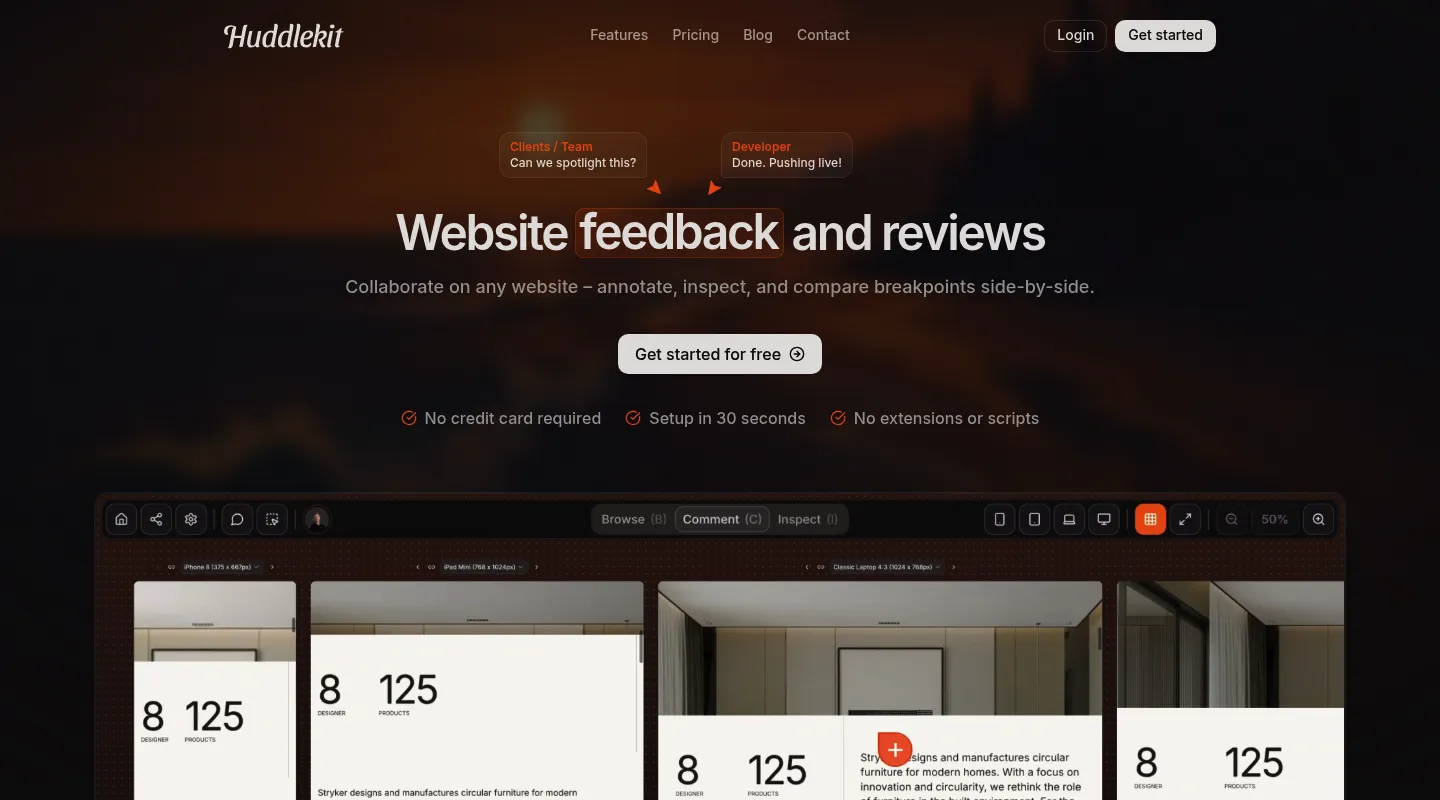
Huddlekit opens your site from its URL, so there's nothing to install on the site or in the client's browser. You send a share link, the client types their name, and they click on the page to comment. Design files, PDFs and videos go in the same workspace, so one link covers the whole deliverable.
Key features:
- Feedback on live and staging websites by URL, with nothing to install. Site passwords on Webflow, Vercel, Netlify, WordPress, Squarespace and Shopify work, and so does basic auth.
- Images, PDFs and videos in the same workspace, with comments pinned to a spot, a page of the PDF or a moment in the video.
- Clients comment from a share link without an account. A name is required and an email is optional.
- Each website comment carries a screenshot, the page and the browser details.
- Share links can be revoked at any time, or set to expire and have new comments paused (Pro and Team).
- Private comments for your team that clients never see.
- Review rounds (Pro and Team): start a new round for the next version, and earlier rounds stay readable.
- A board with four statuses (Open, In Review, In Progress, Resolved), plus priority, assignees and due dates.
- Mobile, tablet, laptop and desktop widths, or all four side by side in canvas view (Pro and Team).
- Integrations on Team: Linear, ClickUp, Notion, Asana, Trello, Slack, Zapier, webhooks and the API.
Pricing:
- Free: 1 project, up to 3 team members, 100 MB storage
- Pro: $16/mo billed yearly ($19 monthly): unlimited projects, 3 team members, 5 GB storage
- Team: $33/mo billed yearly ($39 monthly): 15 team members, 50 GB storage, integrations and API
Clients and other guests are unlimited on every plan, and new subscriptions come with a 30-day money-back guarantee. See Huddlekit's pricing for the current details.
Pros:
- Clients don't need an account or an extension
- Websites and design files in one place, under one link
- The price doesn't grow with the number of clients
- Internal comments stay hidden from clients
Cons:
- No approve and reject buttons. Teams mark sign-off with a custom "Approved" tag or the Resolved status, then confirm it by email.
- No multi-stage approval workflows like the proofing tools in Part 2.
- The review view needs a desktop browser. Clients who open the link on a phone see a "please use a desktop browser" screen.
- No native Jira or GitHub sync. Those go through Zapier on Team.
Send your client one link and get their feedback pinned to the page.
Try Huddlekit2. BugHerd
Best for: Agencies that want client feedback and a task board in one tool, and can add a script to each client site.
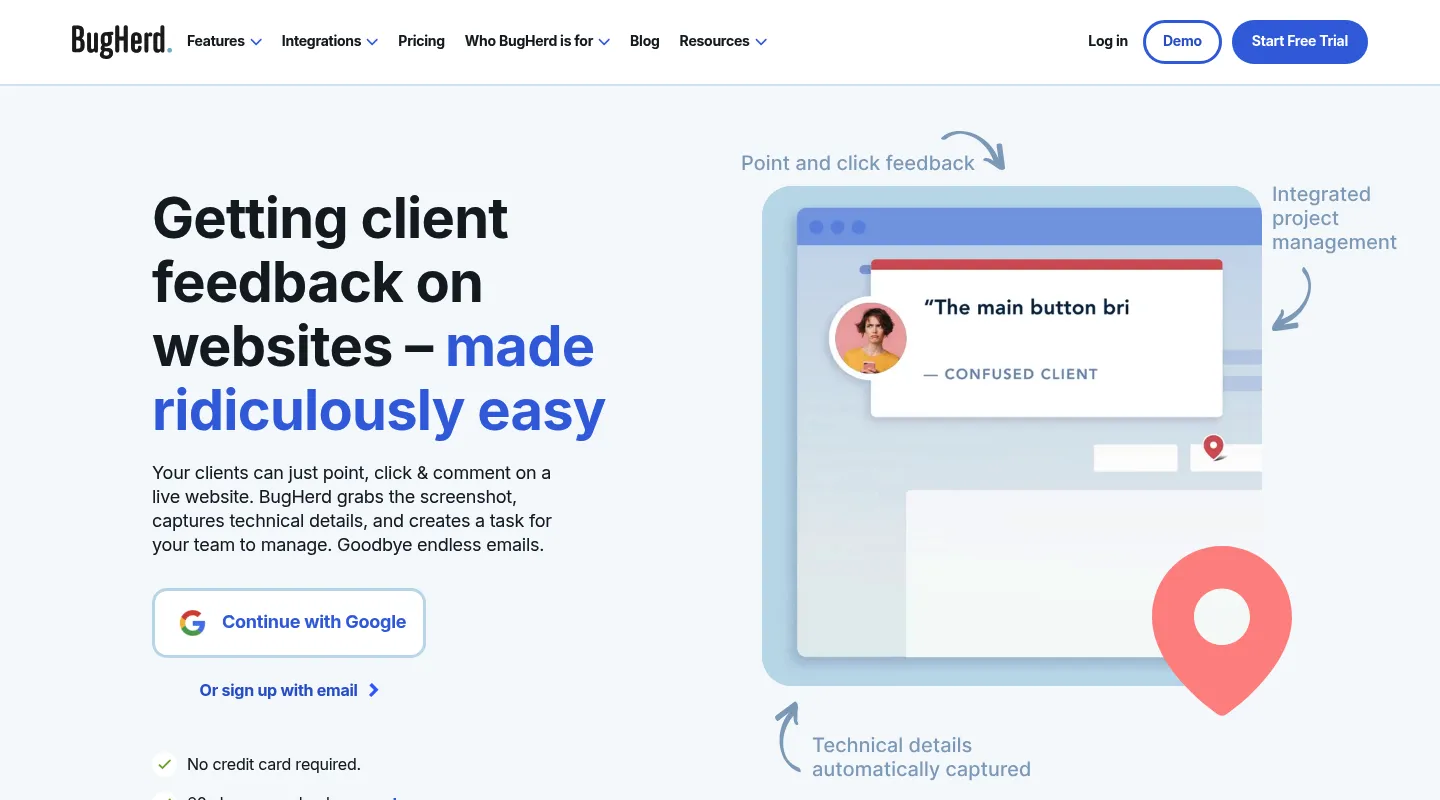
BugHerd pins client feedback to elements on the site and turns each comment into a task on its own board. It runs from a JavaScript snippet on the site, a WordPress plugin or a browser extension. It doesn't load sites by URL.
Key features:
- Feedback pinned to page elements, with a screenshot and the browser, OS, screen size and URL.
- Video feedback of up to a minute per recording.
- Clients you invite sign in with an emailed link. With the snippet installed, a public feedback tab also lets any visitor send feedback without an invite.
- Feedback on PDFs, images and Figma files, with versioning in beta.
- A client task board on Premium, where clients see each other's feedback.
- Feedback deadlines: pause new feedback on any plan, or schedule a deadline on Premium.
- Integrations: Trello, Slack, GitHub and Zapier on every plan. Jira, Linear, Asana, ClickUp and Monday.com on Premium and up.
Pricing:
- Standard: $42/mo billed yearly ($50 monthly): 5 members
- Studio: $67/mo billed yearly ($80 monthly): 10 members
- Premium: $125/mo billed yearly ($150 monthly): 25 members
- Custom: contact sales
Guests and projects are unlimited on every plan. There's no free plan, but there is a free trial and a 60-day money-back guarantee.
Pros:
- Client feedback and task management in one place
- Unlimited guests and projects on every plan
- Feedback from real phones once the snippet is on the site
Cons:
- Something has to be installed: the snippet on each client site, or an extension for each reviewer.
- No approval step. Clients can close or reopen their own tasks.
- The project tools most agencies use (Asana, ClickUp, Jira, Linear) need Premium.
3. Marker.io
Best for: Agencies whose developers work in Jira, Linear or GitHub and want client feedback to arrive there as issues.
Marker.io adds a feedback widget to the client's site through a script, an NPM package or a CMS plugin. Clients report through the widget without an account, and every report becomes an issue in your tracker.
Key features:
- Annotated screenshots with the browser, OS, screen size and URL on every plan.
- A guest portal where clients follow their issues, with status synced from your tracker and a notification when an issue is closed.
- Reports go to Trello, Asana, ClickUp, GitHub or Linear on every plan, and to Jira on Team and up.
- Console logs, network requests and session replay on Team, Business and the Agency plan, for the bugs clients can't describe.
- Unlimited guests and reporters on every plan.
Pricing:
- Starter: $39/mo billed yearly ($59 monthly): 3 members, up to 10 projects
- Team: $149/mo billed yearly ($199 monthly): 15 members, up to 50 projects
- Agency: $99/mo billed yearly ($129 monthly): 15 members, 50 active client projects. For service businesses with fewer than 50 employees.
- Business: custom, billed yearly
There's no free plan. The trial is 15 days on Team, with no card.
Pros:
- Clients report without an account
- Clients can follow what happened to their feedback
- Strong issue tracker sync, including status changes
Cons:
- Needs a script, plugin or extension on each client site.
- No approval step, and its site doesn't mention feedback on uploaded design files.
- Built around developers, so non-technical teams may find it more than they need.
4. Feedbucket
Best for: Agencies that want client feedback from real devices, phones included, and every integration on every plan.
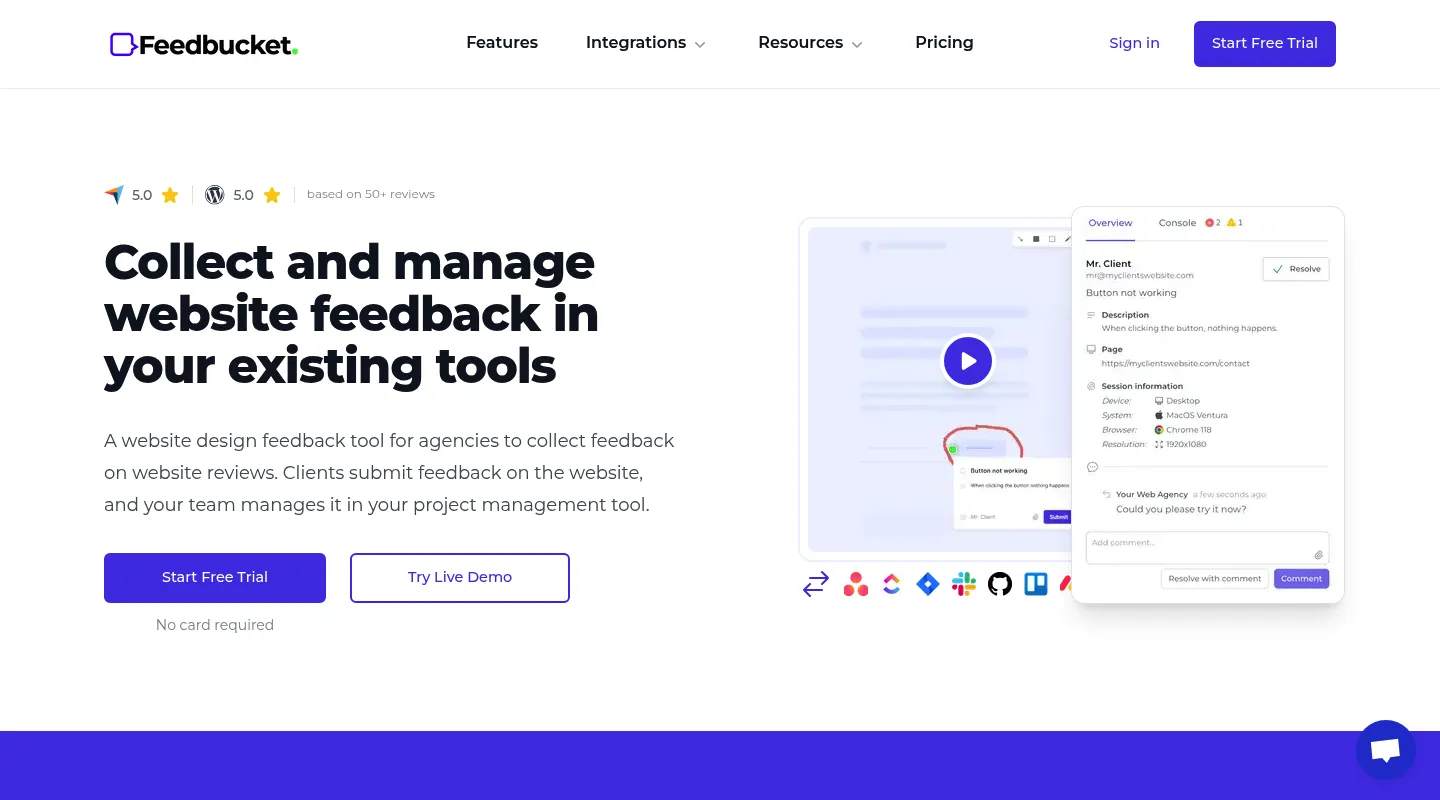
Feedbucket runs from a script tag or a WordPress plugin on the client's site. Clients leave feedback on the real site from their own device, with no account or extension, and each report goes to your project tool.
Key features:
- Automatic screenshots, plus video recording with audio that keeps going across pages (not on mobile).
- The URL, browser, OS, resolution and console logs with each report.
- Jira, Linear, Asana, ClickUp, Trello, GitHub, Slack, Zapier and Monday.com on every plan.
- Feedback on images and designs in upload projects.
- Close feedback per project, for clients, team members or both.
Pricing:
- Pro: $39/mo billed yearly ($49 monthly): 2 team members
- Business: $72/mo billed yearly ($89 monthly): 25 team members
- Enterprise: custom
Projects and client reporters are unlimited. There's no free plan, but there is a 14-day trial with no card.
Pros:
- Every integration on every plan
- Feedback from the client's real device, phones included
- No account or extension for clients
Cons:
- A script has to go on every client site.
- Pro covers 2 team members. A third person means Business.
- No approval step or versions mentioned on its site.
5. Pastel
Best for: Agencies that want website, image and PDF feedback with a simple approve or request-changes step for the client.
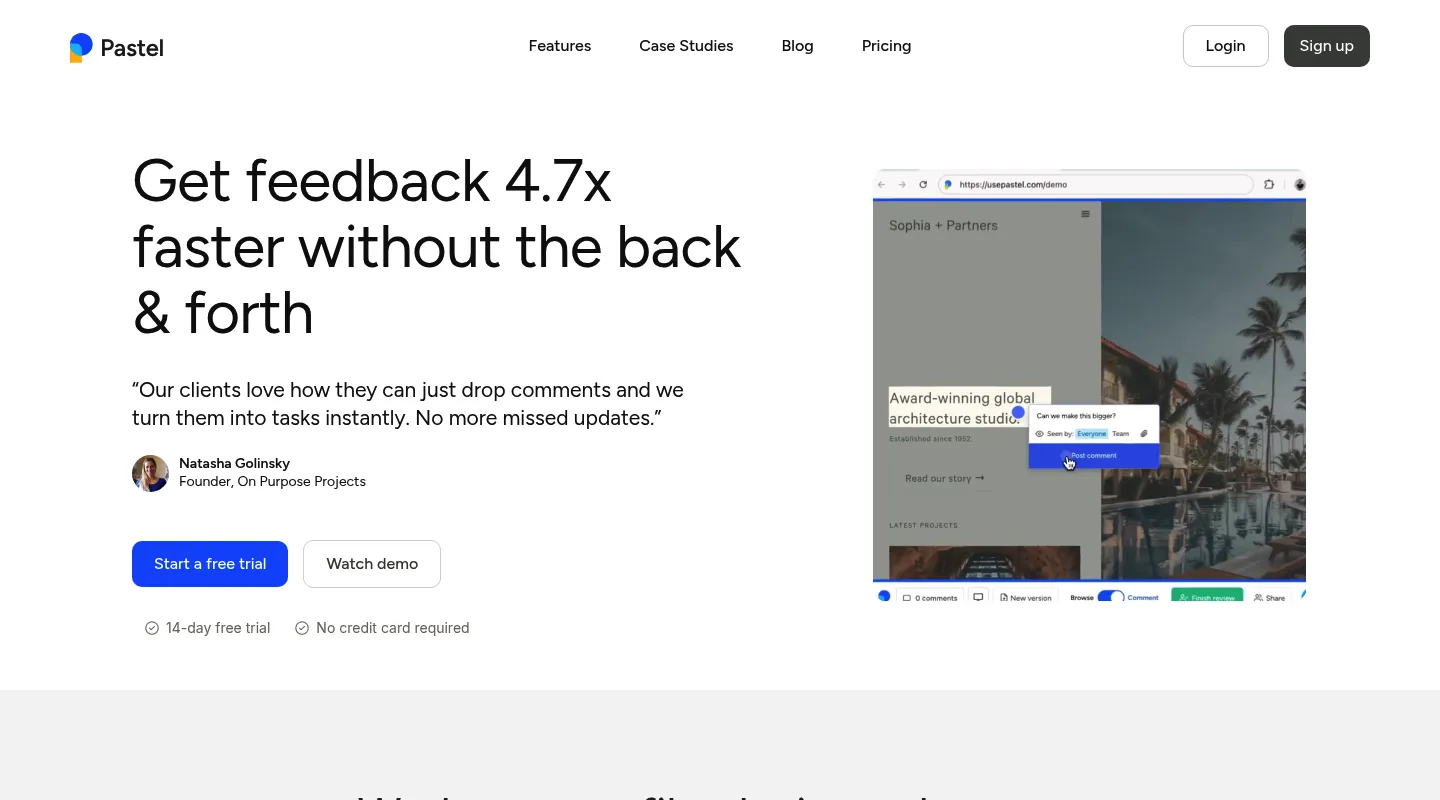
Pastel loads a website from its URL and layers comments on top, so there's nothing to install. Images and PDFs can be uploaded too. For sites behind a VPN or firewall, an optional Chrome extension does the job, but then every reviewer needs it.
Key features:
- Website feedback by URL, with nothing to install.
- Feedback on images and PDFs.
- Guests comment with their name and email, without an account.
- A screenshot, the browser and the screen size with each comment.
- A "Finish Review" button on every plan, Free included: reviewers approve or request changes. Approvals reset when you add a new version.
- Unlimited versions on every plan.
- Pause comments and set feedback deadlines.
- Integrations on Team and up: Trello, Asana, Jira, ClickUp, Monday.com, Zapier and webhooks.
Pricing:
- Free: 1 user, 1 canvas
- Pro: $29/mo billed yearly ($35 monthly): 2 users, 3 canvases
- Team: $99/mo billed yearly ($119 monthly): 5 users, unlimited canvases, $24 per extra user
- Enterprise: $450/mo billed yearly: 10 users, SSO
There's a 14-day trial with no card.
Pros:
- A clear approve or request-changes step for clients, on every plan
- Nothing to install for most sites
- Versions on every plan
Cons:
- Pro is capped at 3 canvases and 2 users, and Team starts at $99/mo billed yearly.
- Integrations need Team.
- Guests have to give an email as well as a name.
6. Ruttl
Best for: Small teams that want website, web app, PDF and image feedback at a per-user price, and are fine with approvals coming from their own team.
Ruttl loads a website from its URL inside Ruttl. It also covers web apps (with a script), PDFs, images and mobile apps (with an SDK). Clients comment from a share link by entering a name.
Key features:
- Website feedback by URL, with nothing to install.
- Web app projects with a script, and an SDK for mobile apps.
- PDF and image uploads.
- Clients comment from a share link with a name and no account.
- Versions on Pro, except in web app projects.
- Approvals: project members named as approvers can approve a page or image.
- Integrations: Slack, Trello, Asana and Jira on every plan, and ClickUp on Pro.
Pricing:
- Basic: free: 1 project, 5 pages, 10 comments, 1 GB storage
- Pro: $15 per user per month billed yearly ($18 monthly): up to 50 users, unlimited projects and guests
- Business: custom
Yearly plans can be refunded within 7 days.
Pros:
- A low price for a team of one or two
- Websites, web apps, files and mobile apps in one tool
- Unlimited guests on Pro
Cons:
- Priced per user, so the bill grows with your team.
- Clients can't approve. Only your own team members can be approvers.
- Clients can't comment from a phone's browser.
- The free plan stops at 10 comments.
Part 2: Feedback and approvals on designs, PDFs and video
These are proofing tools. They're built around files rather than websites, and their strength is the approval itself: approve or reject buttons, deadlines, versions and, on the bigger tools, approval steps that run one after another.
7. Filestage
Best for: Agencies and brand teams that need formal approvals, with stages, deadlines and reminders, across designs, video, documents and websites.
Filestage is a review and approval tool for almost any file type, and it reviews live websites too. Reviewers only need an email address, and each file moves through review stages until someone approves it.
Key features:
- Images (including PSD, AI and RAW), PDFs and Office files, video, audio, live websites and zipped HTML.
- Website review from a URL: reviewers click on the live page, switch between desktop, tablet and mobile views, and each comment gets a screenshot.
- Approve or request changes on every plan. Approve with changes and reject from Business.
- Review stages, each with its own reviewer group: 2 on Free and Starter, 3 on Business, unlimited on Enterprise.
- Due dates and automatic reminders from Starter.
- Unlimited versions on every plan, side-by-side comparison from Starter, and overlay and text comparison from Business.
- Reviewers enter only an email address. An account is optional.
- Slack, Microsoft Teams, Dropbox, Google Drive and Adobe plugins on every plan. Jira, monday.com, Zapier, Make, the API and webhooks from Business.
Pricing:
- Free: 1 project, 5 new files a month, 2 GB
- Starter: $199/mo billed yearly ($249 monthly), 1 TB
- Business: $329/mo billed yearly ($399 monthly), 3 TB
- Enterprise: custom
Each plan includes 10 seats, with more sold in packs of 5. Euro prices use the same numbers. There's a 14-day trial of Business with no card.
Pros:
- The widest file support here, websites included
- Real approval workflows with stages, deadlines and reminders
- Reviewers need only an email address
Cons:
- A big step up in price from the website tools in Part 1: $199/mo billed yearly to start.
- Jira, monday.com and Zapier need Business.
- The free plan stops at 5 new files a month.
8. Ziflow
Best for: Creative and marketing teams that review a lot of files and websites and want versions compared automatically.
Ziflow is an online proofing tool for images, documents, video, audio, HTML5 banners and websites. Guests review from a link in their email, without a login or a paid seat.
Key features:
- Images, PDFs and Office files, video and audio, HTML5 banners and live websites on every plan.
- Websites as a snapshot (a static image 1,920 pixels wide) or as a live, clickable site with screen-size presets.
- Decisions of Approved or Changes Required, with your own decision names on Pro.
- Workflow stages: 1 on Free, 2 on Standard, 3 on Pro, unlimited on Enterprise.
- Unlimited versions, with side-by-side, overlay and pixel-level comparison on every plan.
- Deadlines and manual reminders on every plan. Automatic reminders on Enterprise.
- Guests view, comment and approve without a login or a paid seat.
- Jira, Trello, Slack, Microsoft Teams, Asana, monday.com, Zapier and the API on Pro and Enterprise.
Pricing:
- Free: 2 users, 2 GB, 1 workflow stage, proofs kept for 60 days
- Standard: $199/mo billed yearly ($249 monthly): 15 users, 1 TB
- Pro: $329/mo billed yearly ($399 monthly): 20 users, 2 TB
- Enterprise: contact sales, 25 users and up
Proofs and reviewers are unlimited on every plan. There's a two-week trial of Pro with no card.
Pros:
- Automatic version comparison on every plan
- Guests approve without a login or a seat
- A free plan small teams can actually use
Cons:
- Integrations need Pro ($329/mo billed yearly).
- Automatic reminders only on Enterprise.
- Proofs on the free plan are kept for 60 days.
9. PageProof
Best for: Studios and in-house teams with a high proofing volume who want everyone on their email domain covered by one flat price.
PageProof proofs static files, video, audio, websites, banners, email and interactive PDFs. A Team licence covers everyone on your email domain, and reviewers, proofs and storage are unlimited.
Key features:
- Static files (including PSD, RAW, Office and InDesign), video, audio, website URLs, banners, zipped HTML, email and interactive PDFs.
- Website proofs from a URL. Reviewers need PageProof's browser extension or desktop app for live sites.
- Decisions of Approved or Changes please, with an optional approved with changes.
- Automated workflows with a due date per step and automatic reminders, on every plan.
- Side-by-side comparison on every plan.
- Reviewers don't sign up or set a password. PageProof creates their account for them.
- Jira, Trello, Slack, Microsoft Teams, Asana, monday.com and Adobe on every plan.
Pricing:
- Team: $2,999/year ($299 monthly)
- Team Plus: $4,999/year ($499 monthly)
- Enterprise: quote
Reviewers, proofs and storage are unlimited. There's no free plan, but there is a 10-day trial with no card.
Pros:
- One flat price covers your whole email domain
- Automatic reminders and a deadline per step on every plan
- Integrations on every plan
Cons:
- The highest entry price in this list, about $250/mo billed yearly.
- Reviewers need an extension or the desktop app for live websites.
- No free plan, and a short trial.
10. GoVisually
Best for: Small design teams and freelancers who want simple approve-or-reject proofing on images, PDFs and video at a per-user price.
GoVisually is a design proofing tool. External reviewers don't need an account, and they approve a version or ask for changes with one click.
Key features:
- PNG, JPG, GIF, PSD, PDF, MP4 and MOV files. Video and GIF need Pro.
- Approved or Needs Changes decisions, and the owner can lock a proof.
- Compare any two versions side by side.
- No account needed for external reviewers, and reviewers don't pay.
- Multi-stage workflows with deadlines and reminders on custom plans.
- Zapier, Slack and Adobe on Pro.
Pricing:
- Lite: $16 per user per month billed yearly ($20 monthly): up to 5 users, 15 projects, 15 external reviewers, 50 GB, no video or GIF
- Pro: $33 per user per month billed yearly ($40 monthly): at least 3 users, unlimited reviewers, 150 GB
- CPG suite: custom
There's no free plan, but there is a free trial with no card.
Pros:
- A simple approval that clients understand
- A low price for one or two designers
- Free for reviewers
Cons:
- Lite allows 15 external reviewers and no video.
- Pro needs at least 3 users, so it starts at $99/mo billed yearly.
- Website review isn't mentioned anywhere on its site.
How to get a clear approval from a client
The tool records the approval. Getting one is mostly down to how you run the project:
- Name one decision-maker. Feedback from five people is fine. The approval has to come from one.
- Agree on the number of rounds up front. Two rounds of feedback is common for a website. Put it in the contract, and say what a third one costs.
- Ask for a decision, not a reaction. "Approve, approve with changes, or reject?" gets you further than "What do you think?".
- Put a date on every round. A review link without a deadline gets opened the night before launch.
- Close each round in writing. For files, the approve button is the record. For a website, mark each item done and send a short email that says the round is accepted.
Which client feedback tool should you choose?
- You build websites and clients give feedback on staging: Huddlekit if you want nothing installed, with websites and files in one place. Feedbucket or BugHerd if you'd rather install a script and get feedback from real phones.
- Your clients expect to click "Approve": Pastel for websites, GoVisually for design files. In Huddlekit, a custom "Approved" tag plus a short email does the same job.
- Your developers want feedback as Jira or Linear issues: Marker.io, or Feedbucket if you want every integration on its cheapest plan.
- You run brand, print or video work with several approvers: Filestage or Ziflow for staged approvals, PageProof if one licence should cover your whole company.
- Budget is tight and the team is one or two people: Huddlekit's Free or Pro plan, Ruttl's per-user pricing, or GoVisually Lite for design files.
Frequently asked questions
What is client feedback software?
Software that collects a client's feedback on the work you deliver: comments pinned to a website, a design, a PDF or a video, and usually an approval at the end. It replaces the email threads and annotated screenshots that feedback otherwise arrives in. Survey tools that measure client satisfaction are a different category.
What's the easiest way for a client to give feedback on a website?
Send a link that opens the site with commenting switched on, so the client clicks where the problem is and types. Tools that open the site by URL (Huddlekit, Pastel, Ruttl) need nothing installed. Script-based tools (BugHerd, Feedbucket, Marker.io) need a script on the site, but then work on the client's own device.
Do clients need an account to leave feedback?
Not with most of these tools. Huddlekit and Ruttl ask for a name, Pastel for a name and an email, and Filestage for an email address. Marker.io and Feedbucket take feedback through a widget on the site. BugHerd's invited clients sign in with an emailed link, and PageProof creates an account for each reviewer automatically.
Which client feedback tools have a formal approval step?
Filestage, Ziflow, PageProof and GoVisually have approve and request-changes decisions, and Filestage, Ziflow and PageProof add staged workflows. Pastel has an approve or request-changes button on every plan. Huddlekit has no approve button: teams use a custom "Approved" tag or the Resolved status. In Ruttl, only your own team members can approve.
How do I stop endless rounds of client feedback?
Agree on the number of rounds in the contract, name one decision-maker, put a deadline on every round and close each round in writing. A tool helps by keeping each version's feedback apart, so old comments don't come back in the next round.
Can clients give feedback from their phone?
With script-based tools such as Feedbucket and BugHerd, yes: the feedback comes from the client's own device. Huddlekit's review view needs a desktop browser, and Ruttl doesn't support commenting from a phone's browser. If your clients mostly work from their phones, check this before you pick a tool.
Is there a free client feedback tool?
Huddlekit (1 project), Pastel (1 canvas), Ruttl (1 project, 10 comments), Filestage (5 new files a month) and Ziflow (2 users, proofs kept for 60 days) have free plans. The rest offer trials.
Final thoughts
Pick by what the client reviews and how much you can ask of them. For websites, a link the client can open and click on matters more than any feature on the list. For brand, print and video work, the approval workflow matters more than the comments.
If your clients review websites, try Huddlekit. If they approve brand and video files, start with a Filestage or Ziflow trial.
Sources
Every price and plan limit above was read from the vendor's own pricing page on 17 November 2026. Where a vendor's pages disagreed with each other, the entry says so.
- Huddlekit pricing: checked 17 November 2026
- BugHerd pricing: checked 17 November 2026
- Marker.io pricing: checked 17 November 2026
- Feedbucket pricing: checked 17 November 2026
- Pastel plans: checked 17 November 2026
- Ruttl pricing: checked 17 November 2026
- Filestage pricing: checked 17 November 2026
- Ziflow pricing: checked 17 November 2026
- PageProof pricing: checked 17 November 2026
- GoVisually pricing: checked 17 November 2026
Related comparisons
See how the tools in this guide compare head-to-head with Huddlekit:
- BugHerd alternative: script or extension with a task board vs. opening the site by URL
- Marker.io alternative: developer QA tool vs. no-install client review
- Feedbucket alternative: website feedback for agencies, compared plan by plan
- Pastel alternative: website and design-file review compared
- Ruttl alternative: website, design and video feedback compared
Related resources
- Best UAT tools for websites and web apps: tools for client sign-off, bug reports, test cases and real-device checks before launch
- Best visual feedback tools in 2026: 15 tools for website, product and creative feedback
- Best design review software: tools for design and creative review
- Website proofing for faster sign-off: how to get a website approved sooner
- Types of feedback for web projects: sorting bugs, change requests and opinions


